How to enter a Buyer/Tenant on a Closed Deal, when the Buyer/Tenant does not have a company name.
Instructions
On the Closed Deal ‘Contacts’ tab - select the correct Buyer/Tenant.
Use the ‘Red X’ in the ‘Choose a Company’ search field to clear that field.
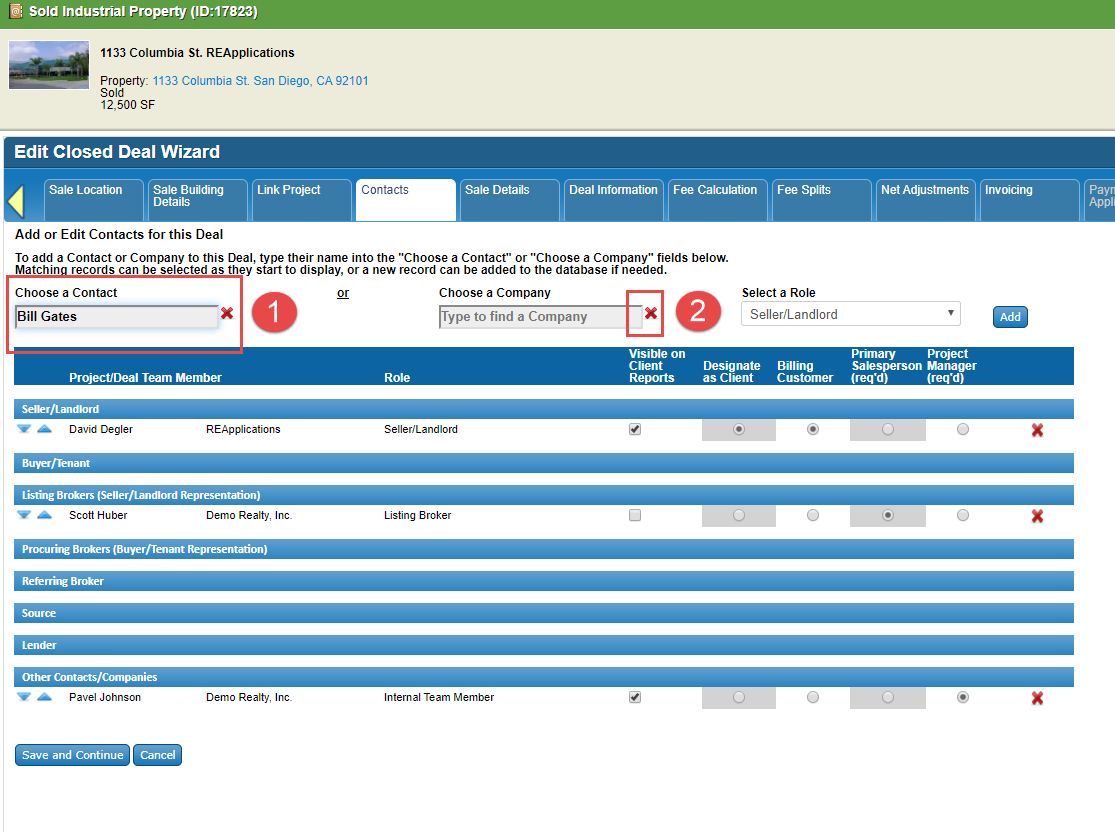
Type in the contacts name in the ‘Choose a Company’ field (do not select a company).
Select Role and click the ‘Add’ button.


This method will NOT create a new company record. This will only store the flat text on the deal for display on lists and reports.
Note: You can also use this method to link a contact to an existing company or a totally different company then they are linked to.
Related articles
© 2023 CoStar Group
Attachments:
 image-20200225-180247.png (image/png)
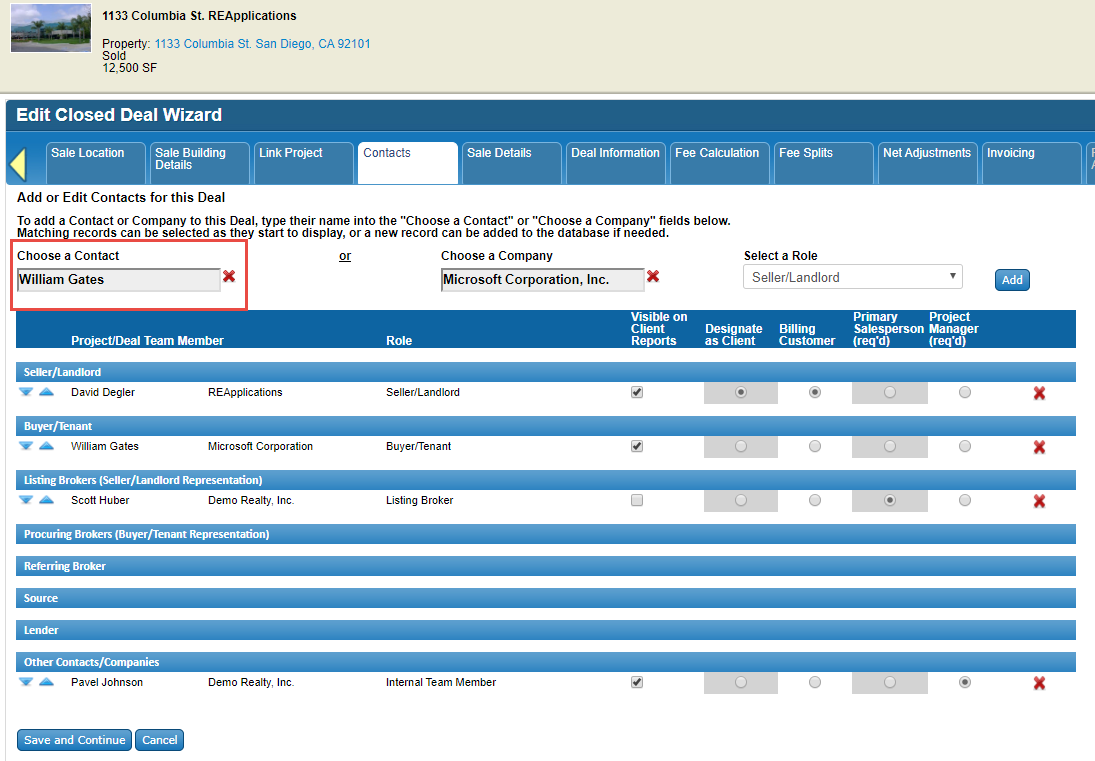 image-20200225-182032.png (image/png)
image-20200225-182040.png (image/png)
image-20200225-182115.png (image/png)
image-20200225-182032.png (image/png)
image-20200225-182040.png (image/png)
image-20200225-182115.png (image/png)