Problem
Brokerage Applications system is saying that the broker’s profile is missing the fiscal year definition, so it won’t let me apply payments to invoices with her on them. I’m not sure what her fiscal year definition would be?
Solution
Here’s how to get to the Fiscal Year Settings:
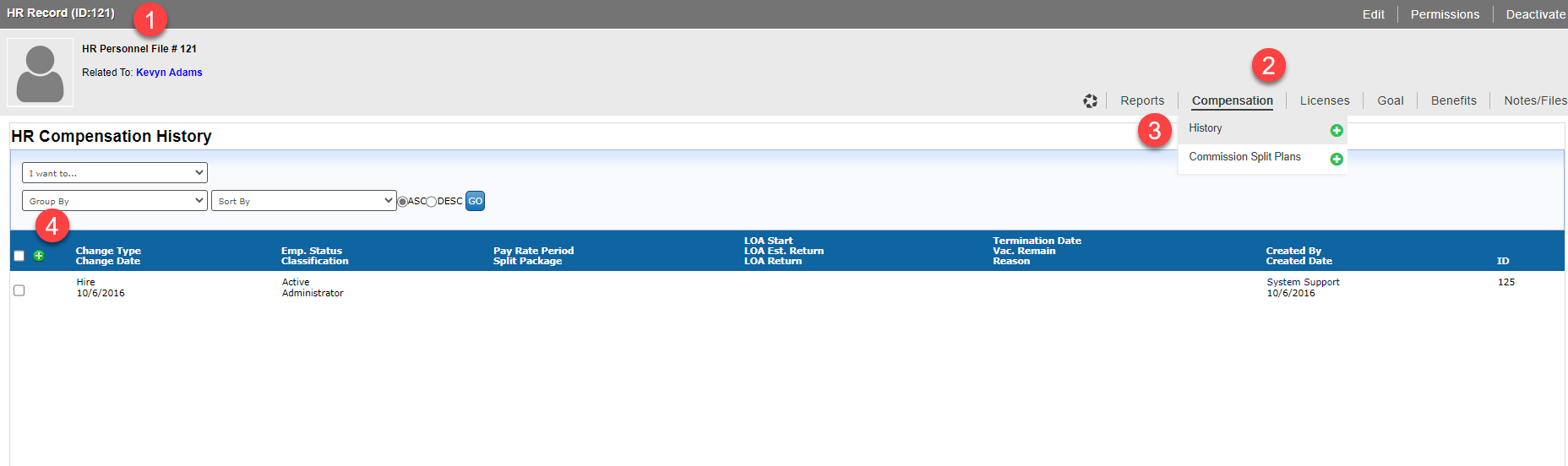
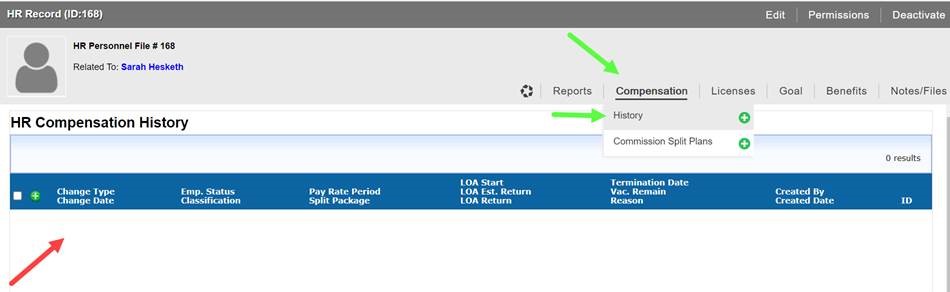
Go to the Broker’s HR Record.
Select the Compensation menu.
Select the History sub-menu.
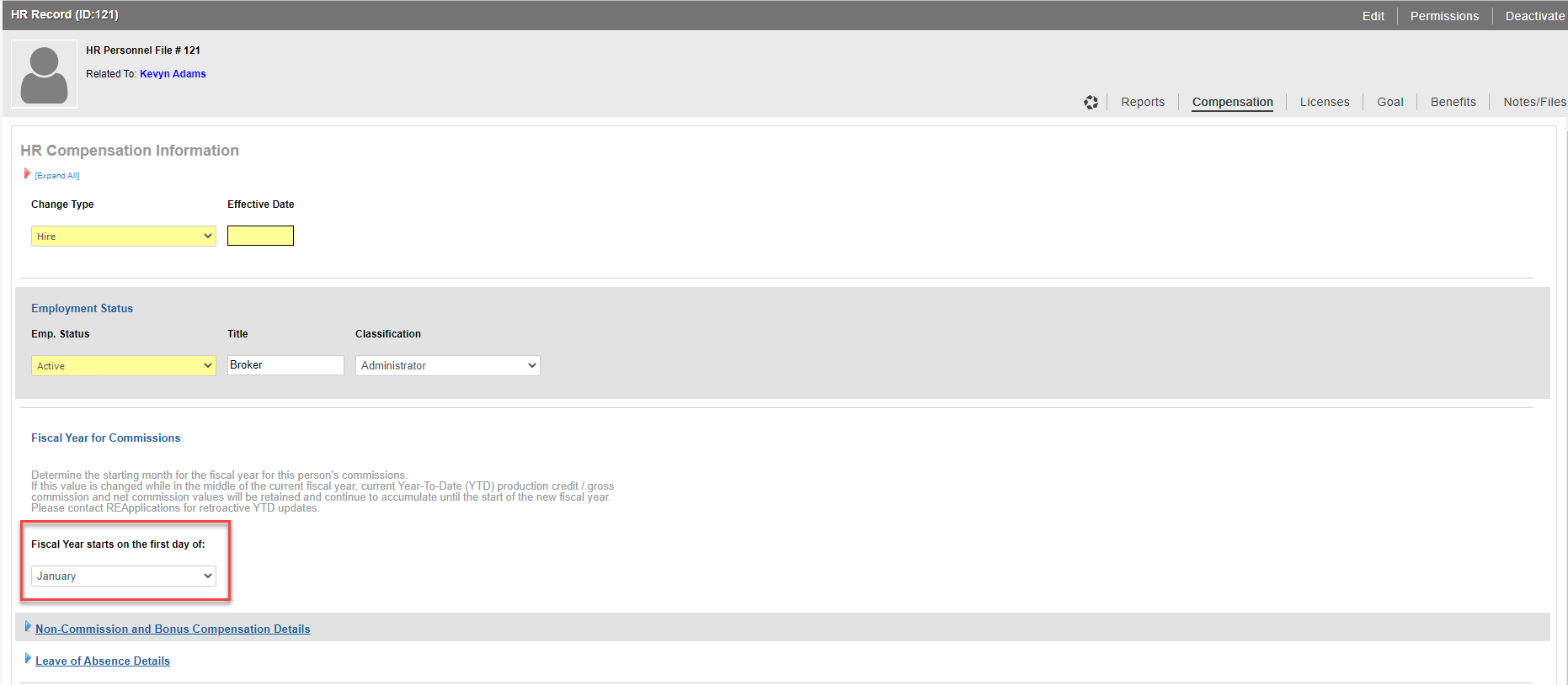
The Fiscal Year setting is found on a history record.
To resolve the issue, select the green “+” on the blue bar.
Scroll through the list and add data to the yellow fields (typically required data fields), add any additional data if available and confirm that the default Fiscal Year Settings are correct (Jan – Dec.)
Select the Submit button to save the changes and return to the Deal and apply Payment as needed.
Attachments:
 HR Fiscal.jpg (image/jpeg)
 HR Fiscal.jpg (image/jpeg)
 image-20230314-173659.png (image/png)
image-20230314-174114.png (image/png)
image-20230314-173659.png (image/png)
image-20230314-174114.png (image/png)
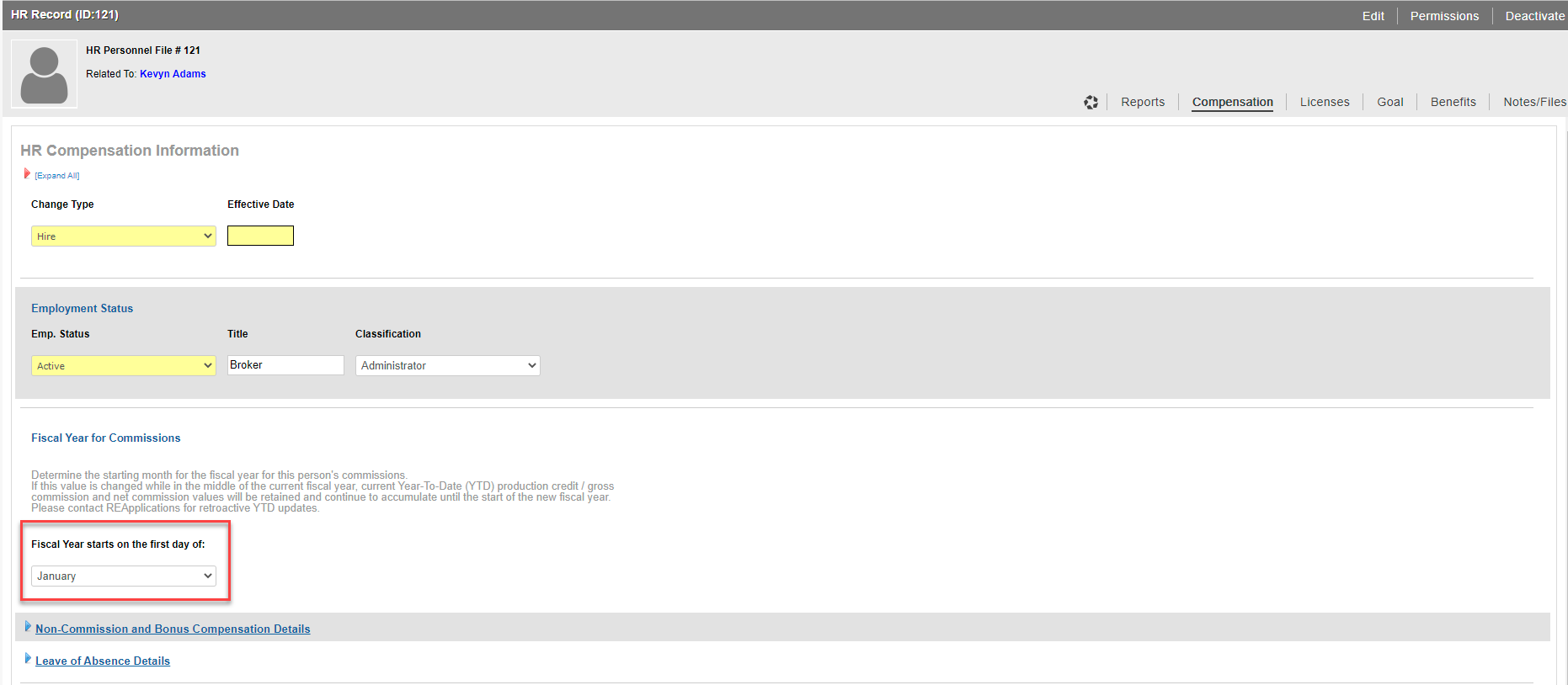 image-20230314-174124.png (image/png)