How do I deactivate a Closed Deal?
To deactivate an existing Closed Deal you must first void any payments, invoices, split worksheets and fees. Once this is completed the system will allow you to deactivate the Closed Deal.


Instructions
STEP 1:
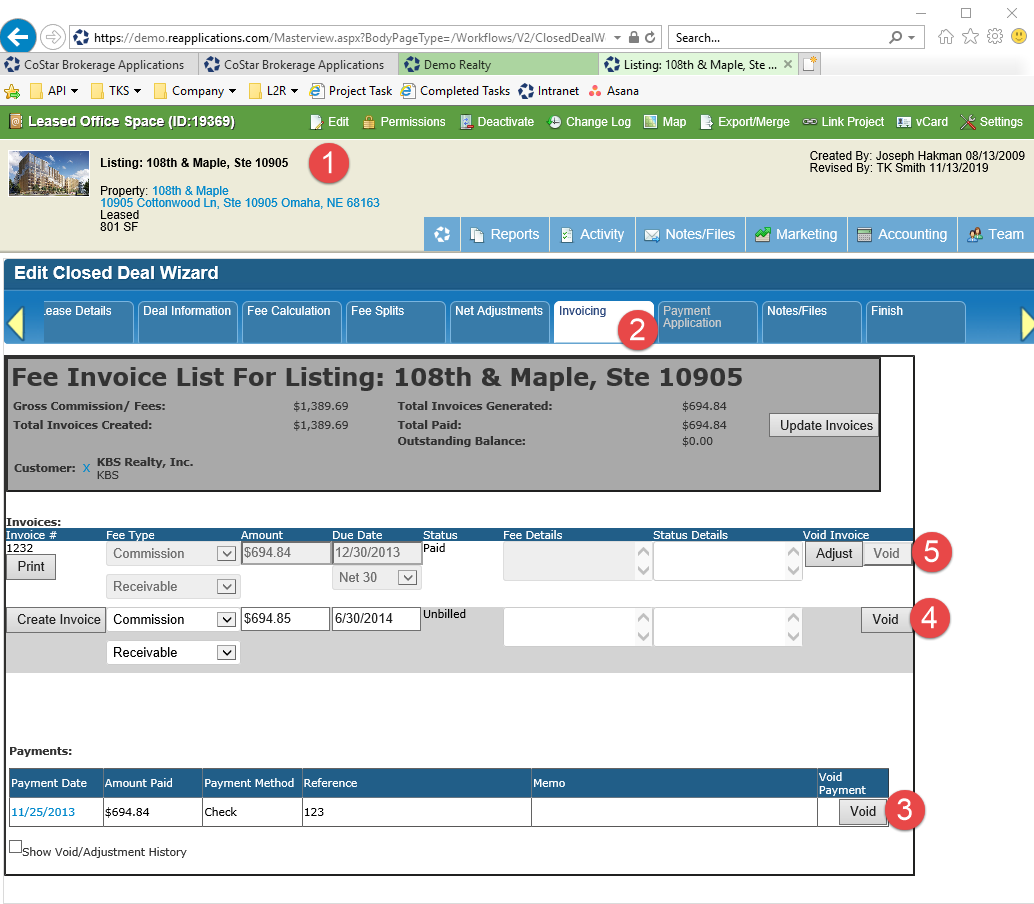
Edit the Closed Deal and click on the ‘Invoicing’ tab. Void any Payments then void any Invoices.
STEP 2:
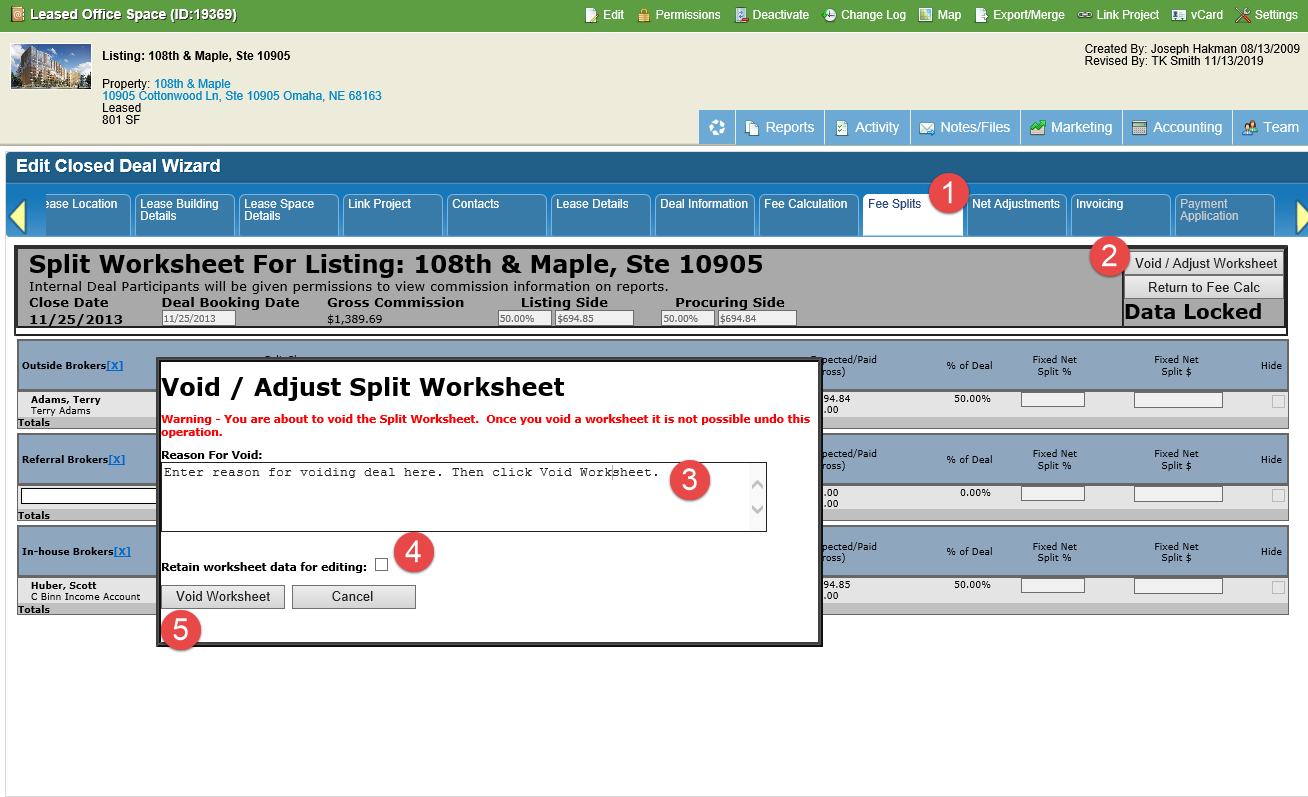
Click on the ‘Fee Splits’ tab. Click the ‘Void / Adjust Worksheet’ button. Enter Reason for Void. Uncheck ‘Retain worksheet data for editing’ option. Clock ‘Void Worksheet’
STEP 3:
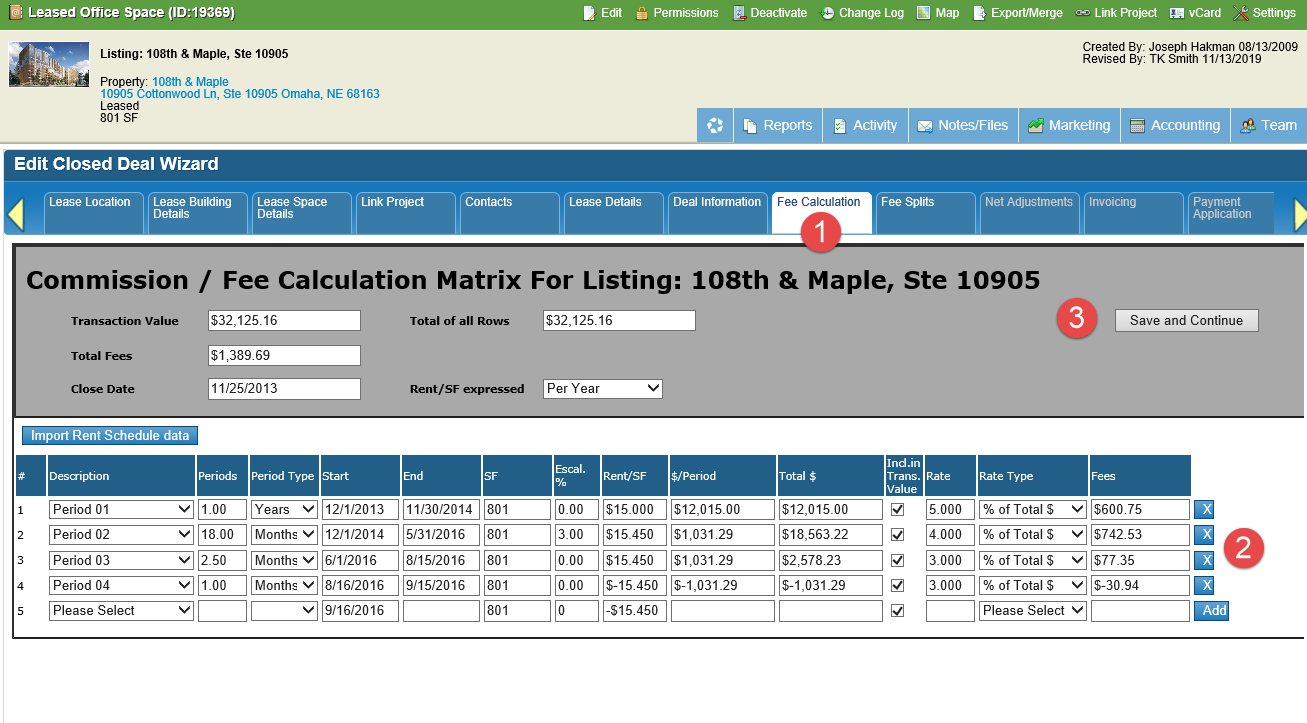
Click on the ‘Fee Calculation’ tab. Clear out any Fees by clicking the ‘x' next to the fee row. When complete click 'Save and Continue’.
STEP 4:
Now the system will allow you to use the ‘Deactivate’ button.

Need more help? Watch the full video on how to back out a closed deal below.
You can view the video outside this page by going to https://youtu.be/AxxEZo-JAcQ
© 2023 CoStar Group
Attachments:
 image-20191113-164936.png (image/png)
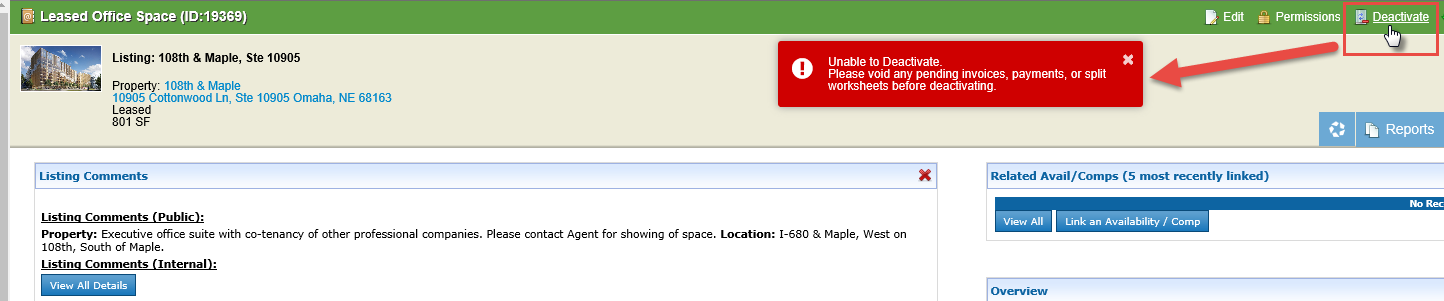 image-20191113-165001.png (image/png)
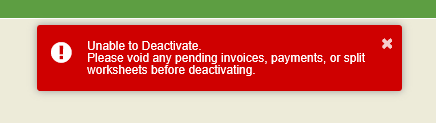 image-20191113-170538.png (image/png)
image-20191113-170630.png (image/png)
image-20191113-170650.png (image/png)
image-20191113-172909.png (image/png)
image-20191113-170538.png (image/png)
image-20191113-170630.png (image/png)
image-20191113-170650.png (image/png)
image-20191113-172909.png (image/png)