How do I change pulldown values in CoStar Brokerage Applications?
NOTE: Only Network Admins have the permissions to modify pulldown values.
Instructions
Here are the steps to change pulldown values:
Navigate to the ‘Admin’ tab and click on the sub-menu item ‘Pulldowns’:

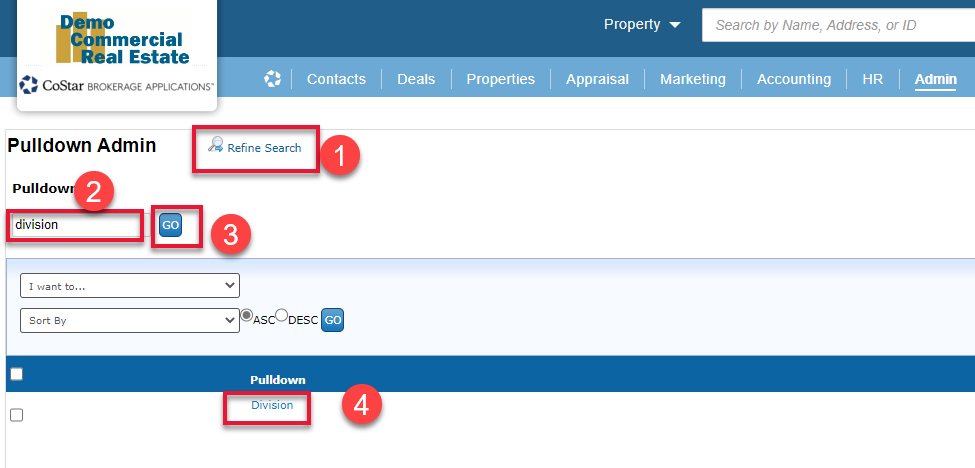
Click on the ‘Refine Search’ button (1), enter the name of the pulldown you are looking to modify (2), click on the ‘GO’ button (3) and in the search results open the list by clicking on the pulldown name (4):
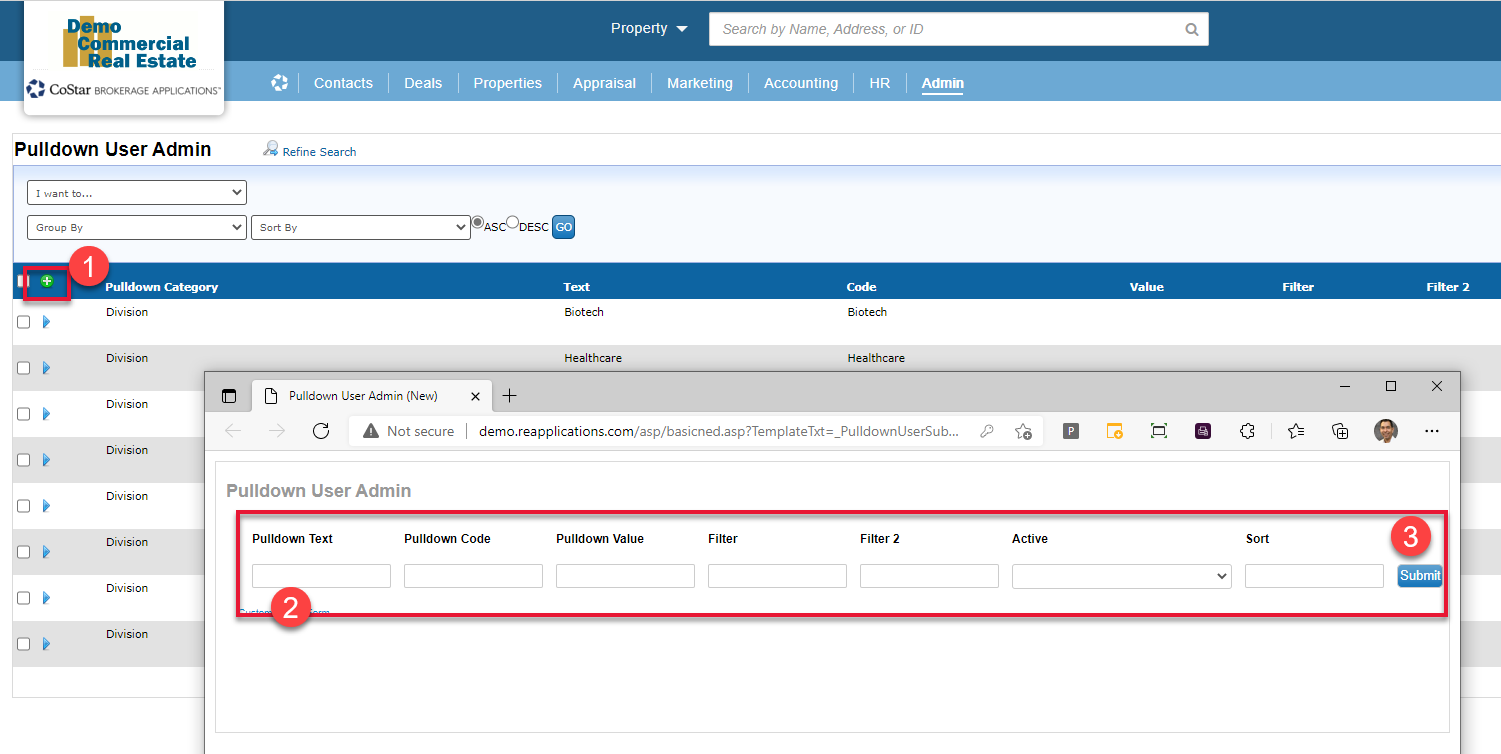
To add a new value click on the ‘Green +’ button on the top of the list (1) , fill out the form (2) and click ‘Submit’ (3):
To remove a value use the side navigation arrow to select the ‘Edit this Record’ menu item (1), change the ‘Active’ field on the form from ‘Yes’ to ‘No’ (2), click on the ‘Submit’ button (3):

NOTE: Changing pulldown value(s) does NOT update the data in records. This will only update the pulldown options visible in the Search and Form fields.
BEFORE REMOVING PULLDOWN VALUES:
If you are removing values from a pulldown. It is recommended to search for all records with the unwanted pulldown value you are removing and updating those record with a desired pulldown option. Once the data is updated, then it is safe to remove the unwanted pulldown value(s).
© 2023 CoStar Group
Attachments:
 image-20210825-191543.png (image/png)
 image-20210825-191942.png (image/png)
 image-20210825-192251.png (image/png)
 image-20210825-192700.png (image/png)