The ‘Copy This Deal’ functionality can be used to create a duplicate Closed Deal in the event that you need to bill a separate billing customers or your firm is representing both sides of a deal and need separate deals to process properly.
Please note that the copied deal will always be a generic Project, not a Lease or Sale Comp. This is to prevent duplicate Comp records.
Instructions
Using the ‘Copy This Deal’:
From the original Closed Deal record, navigate to the Accounting Tab and selected ‘Copy This Deal’
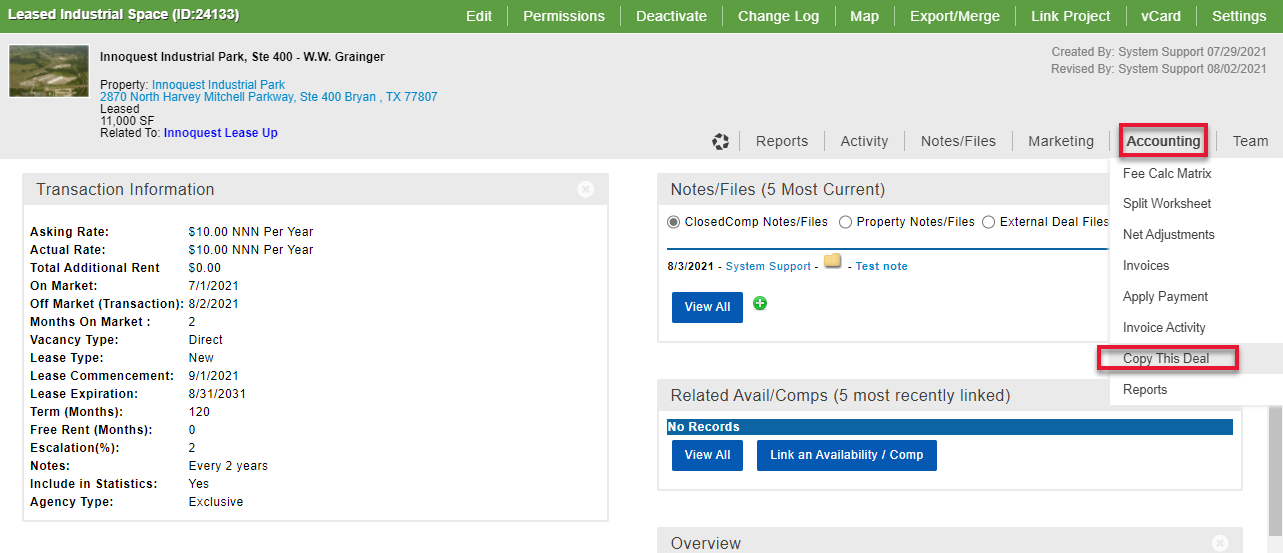
A New Closed Deal will be created and it will load the ‘Edit Closed Deal Wizard’.
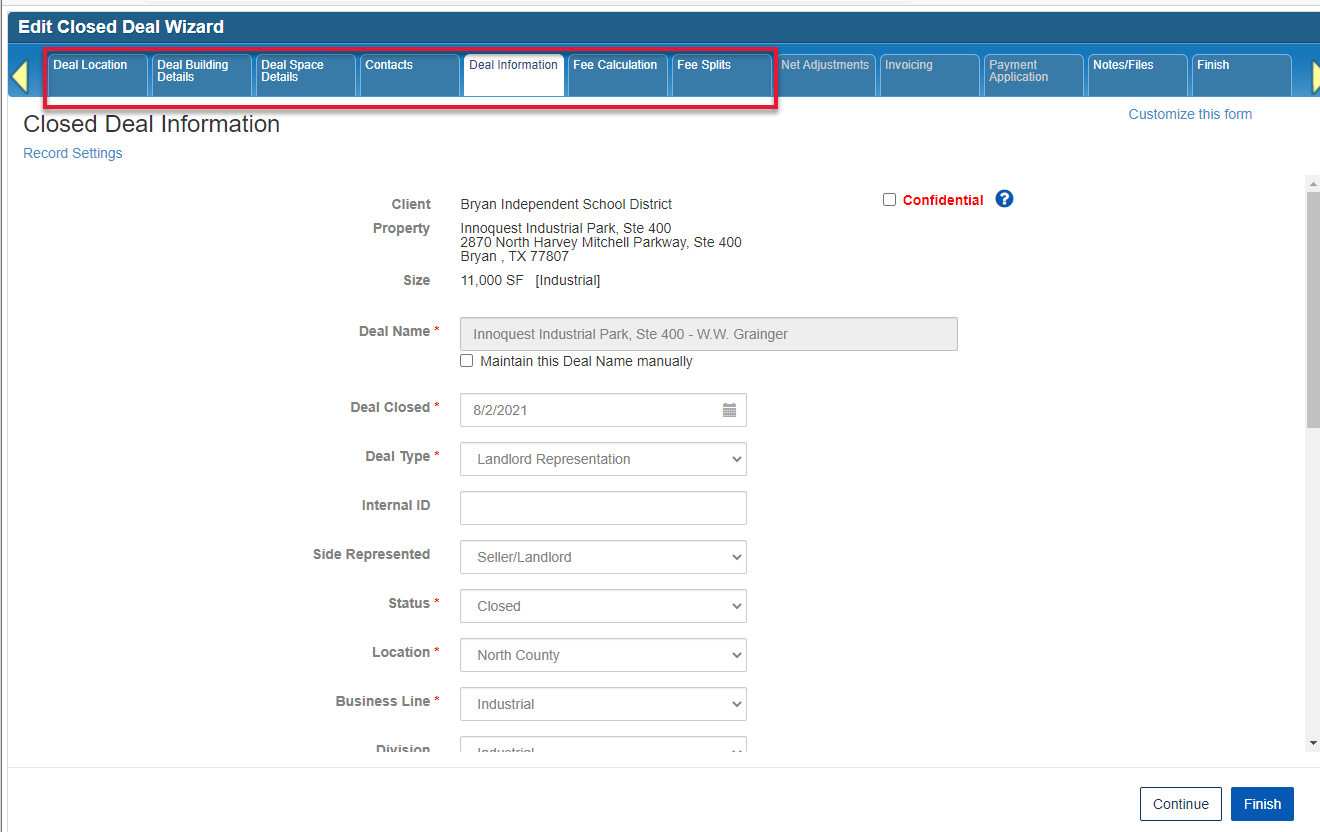
The ‘Copy This Deal’ function copies all the data from the following tabs to the new closed deal:
Deal Location
Deal Building Details
Deal Space Details
Deal Information (the duplicated deal ‘Comp Type’ is set to ‘Consulting/Referral/Other’ by default)
Fee Calculation (Transaction Value is set to $0 so this data is not double tracked)
Fee Splits
From the ‘Edit Closed Deal Wizard’ you can adjust Fees, Fees Splits as needed and continue to invoicing as normal.
Related articles
How do I invoice a second billing customer on a deal
© 2023 CoStar Group
