I have a deal with an existing payment and need to change the distribution of the remaining commission. How can I do that without voiding the previous payment?
Normally, if a deal or payment needs to be corrected, the standard workflows for adjusting a deal would apply. However, it is possible for the distribution of commissions / fees among deal participants to change, and for the new distribution to only apply to part of the total fees (usually future payments). This could be because you need to add or remove someone, or because there was a change in internal or external fee share agreements.
This article refers only to gross commission distribution. Changes in the net commission splits between a broker and the firm are handled via Split Plans.
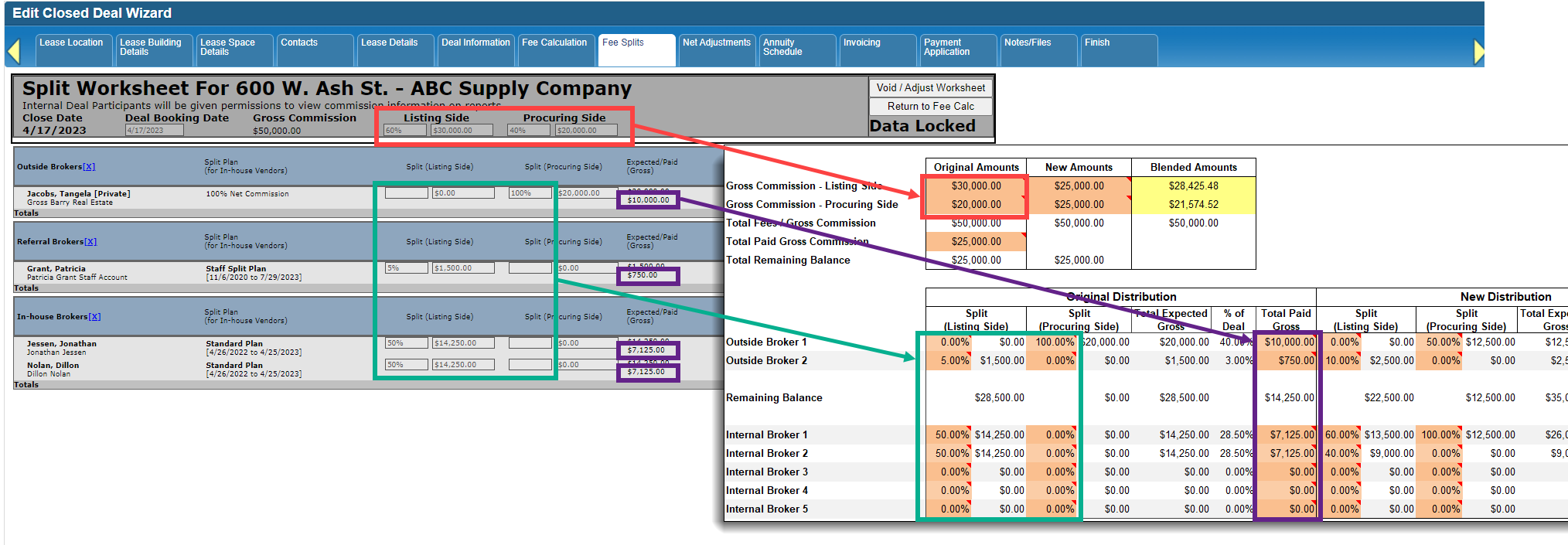
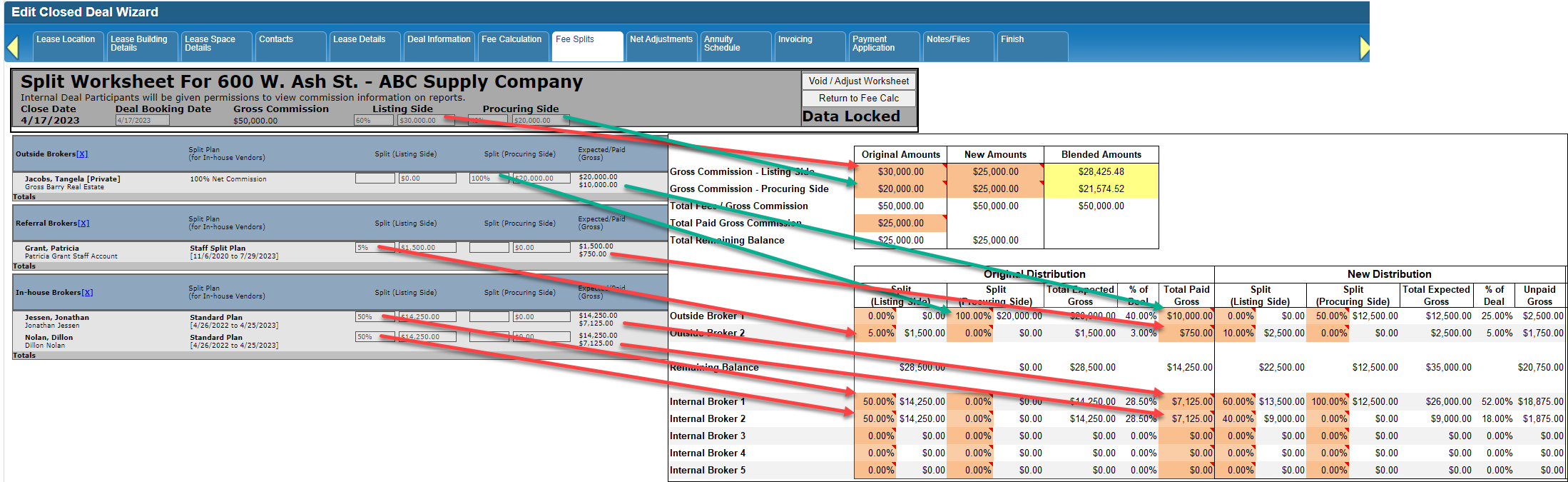
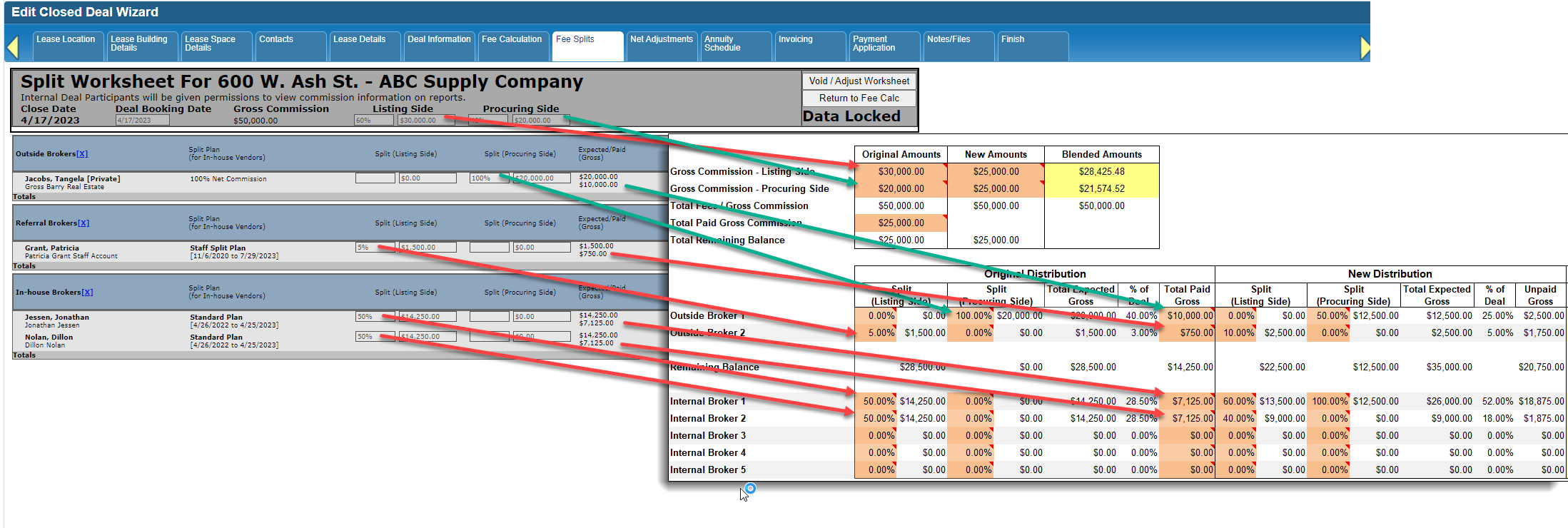
The solution for this scenario is to change the Fee Splits (Split Worksheet) form to reflect a blended distribution. This worksheet can help you figure out what the final blended amount should be for each participant.
DO NOT void past payments unless you need to correct their distribution!
Download a copy of the worksheet.
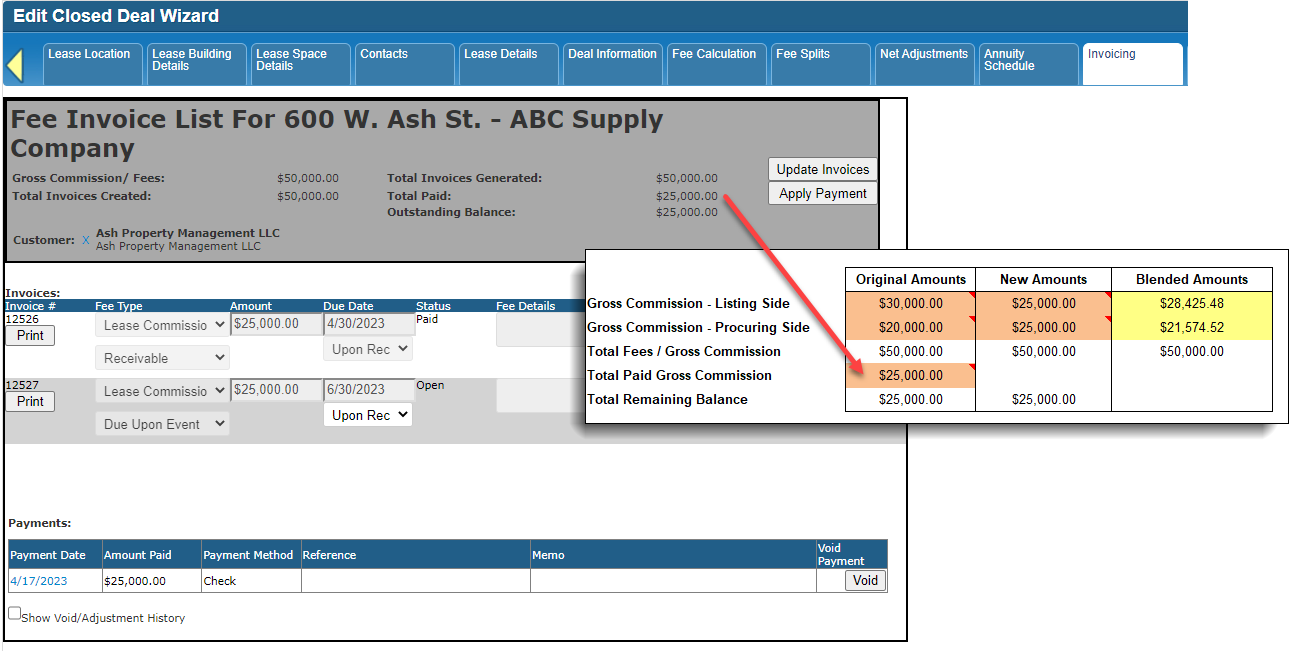
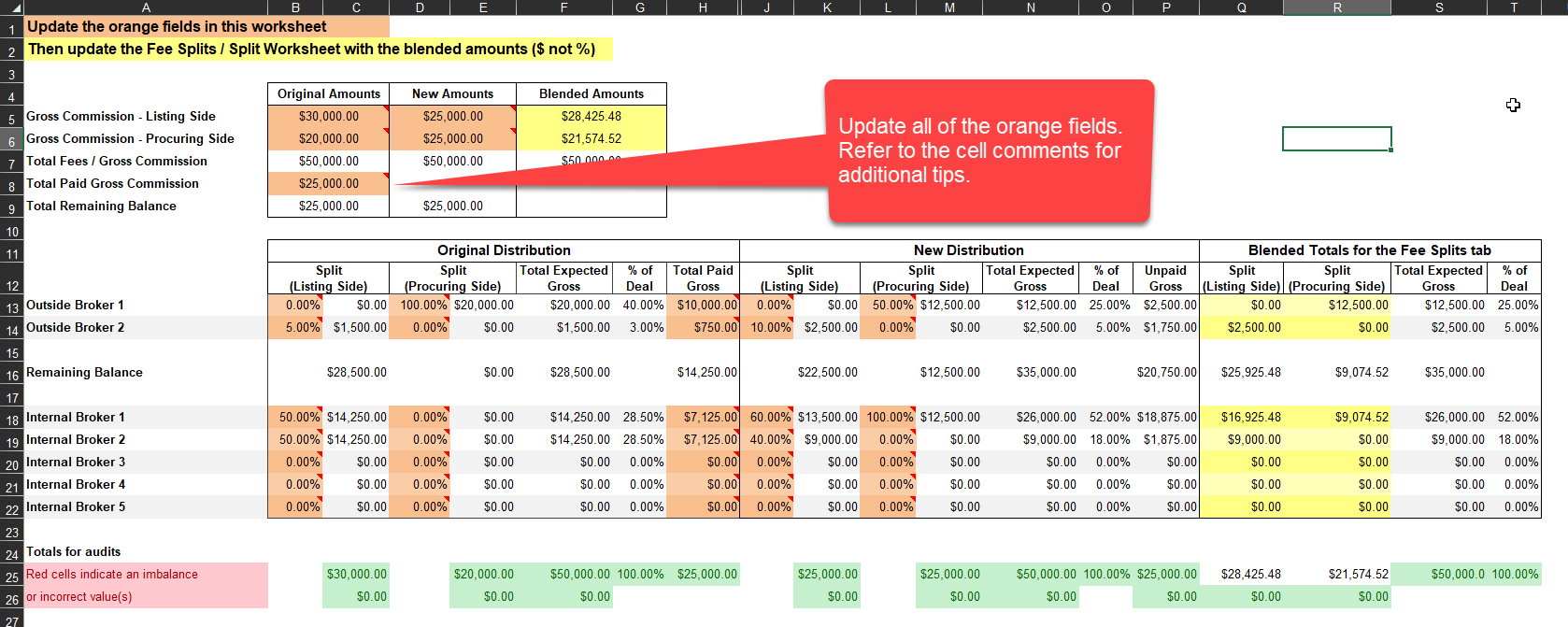
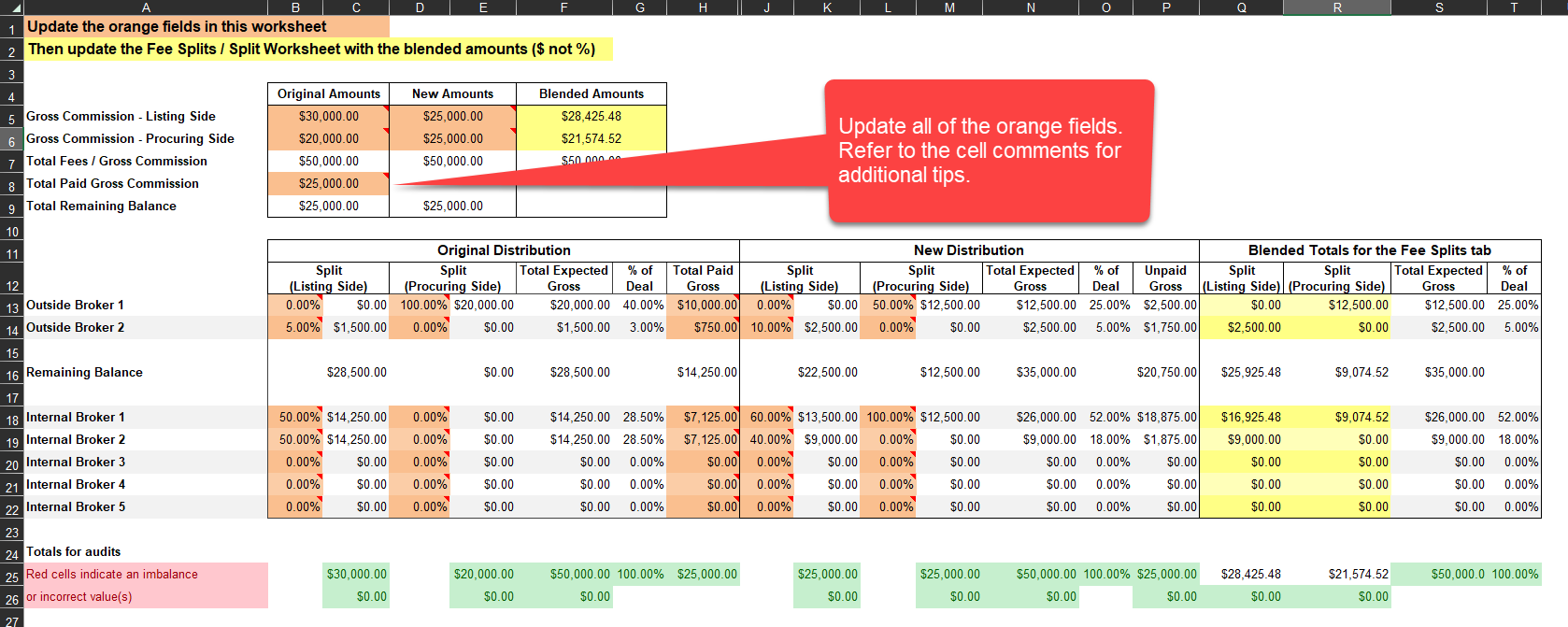
For every deal where this type of issue occurs, fill out the orange fields on “Calculations” tab. There are comments on the individual cells to help guide you along if you’re not sure what to enter.
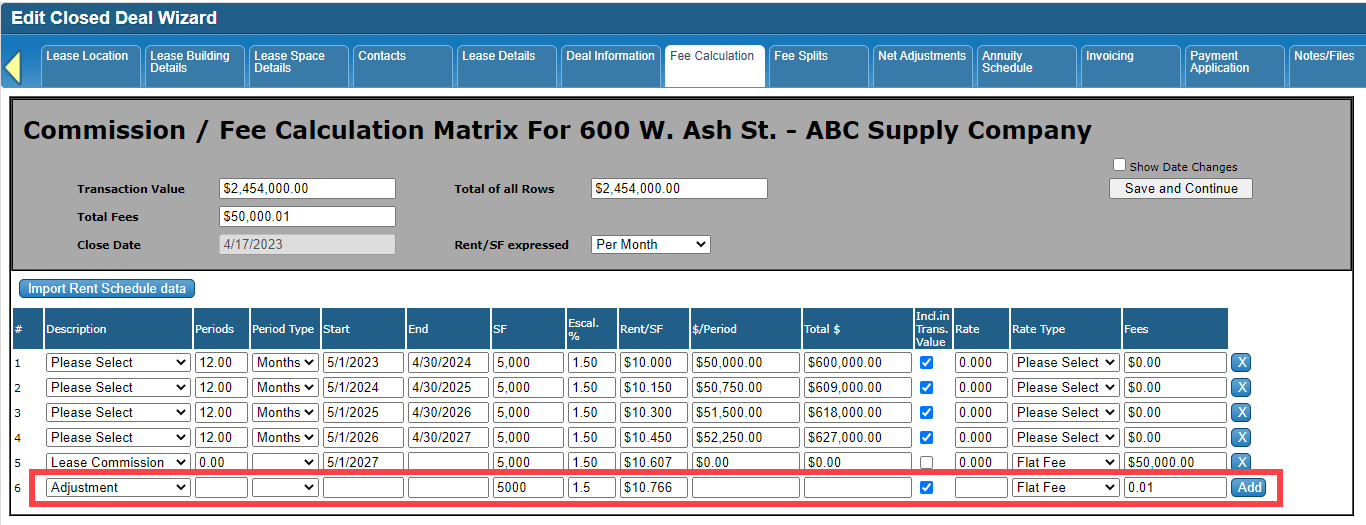
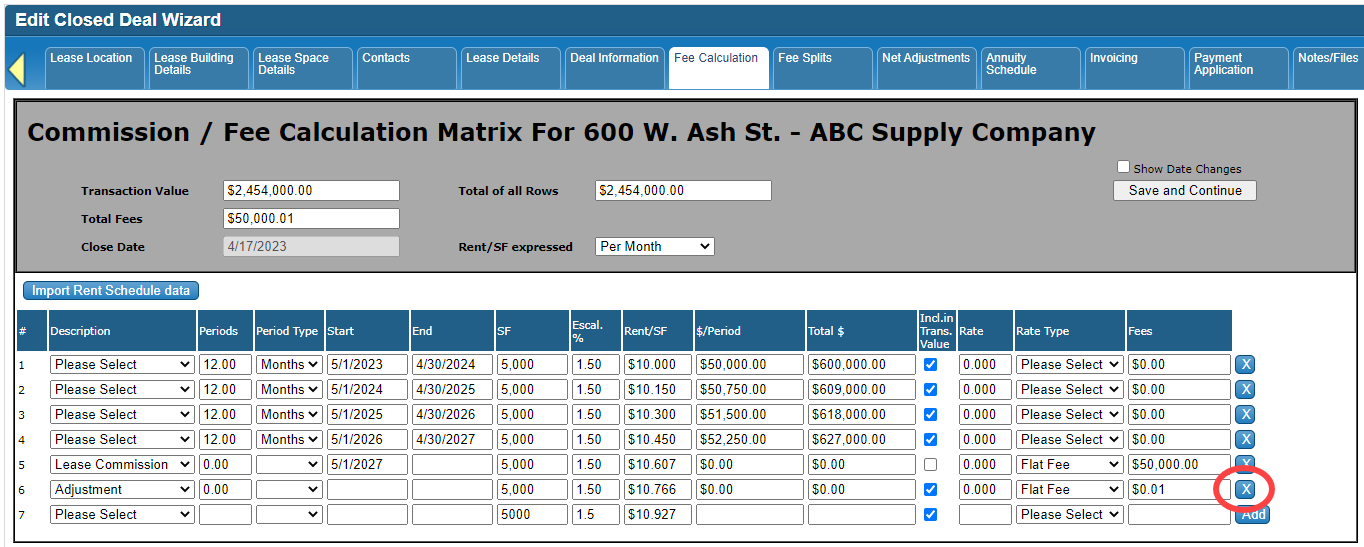
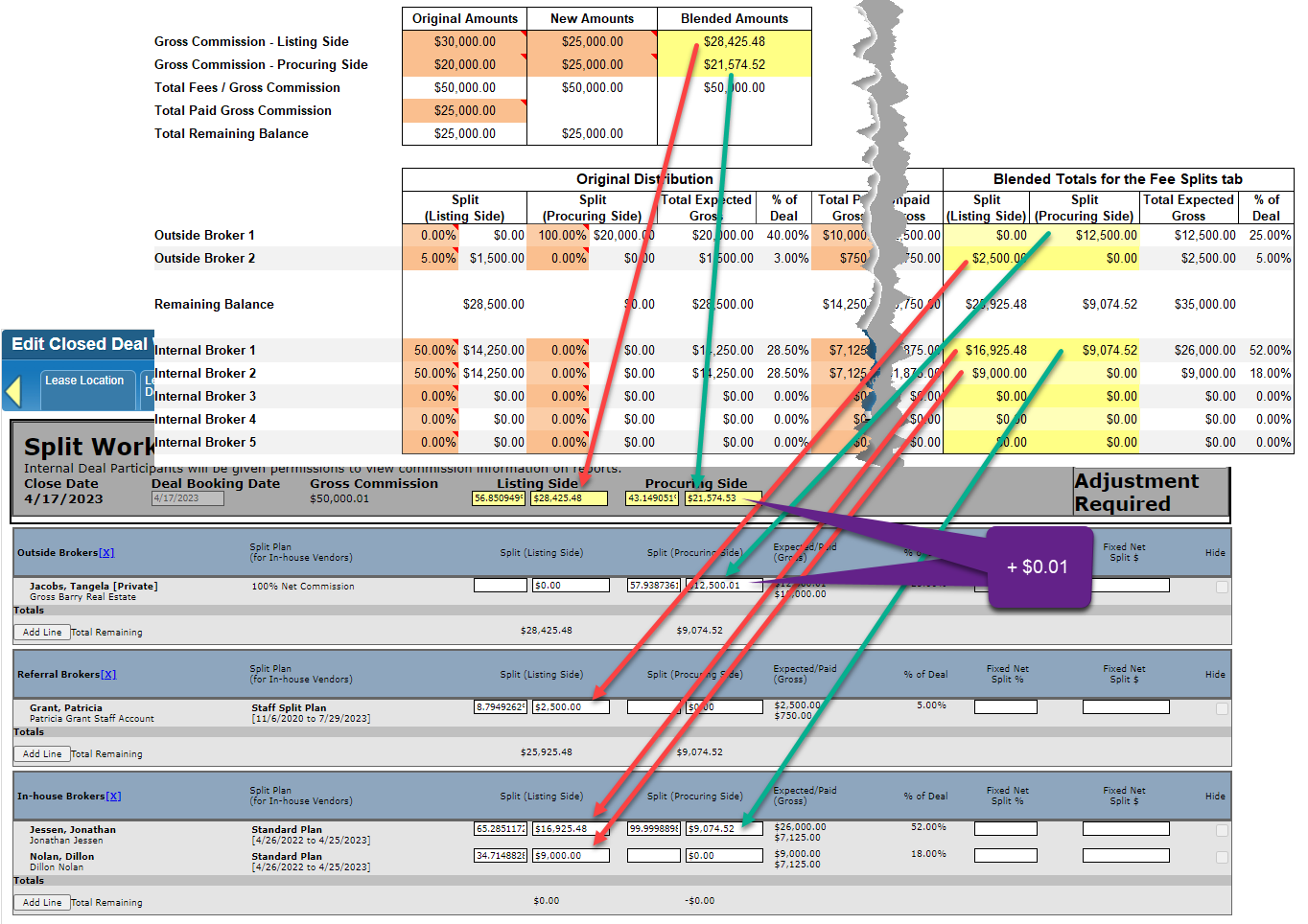
Adjust the Calculate Fees tab - add a penny to the Fees (or add any relevant adjustment as needed, just make sure the Total Fees at the top is different from before). Save your changes. This will put the Fee Splits tab (Split Worksheet) into an “Adjustment Required” state.
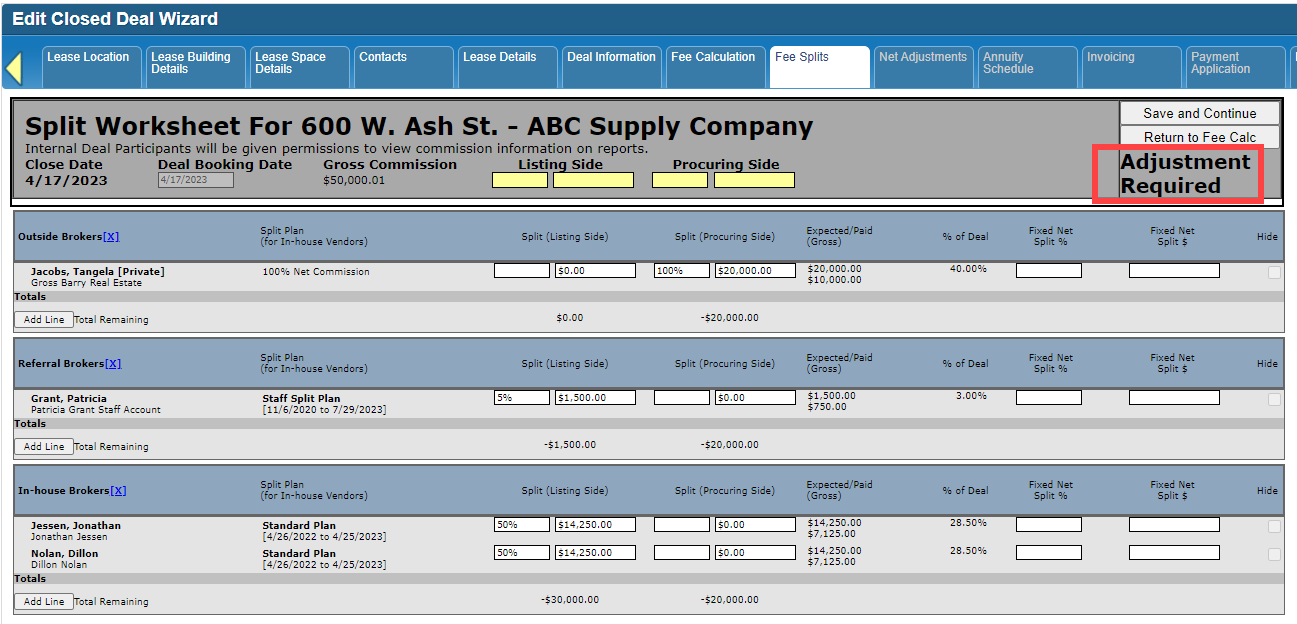
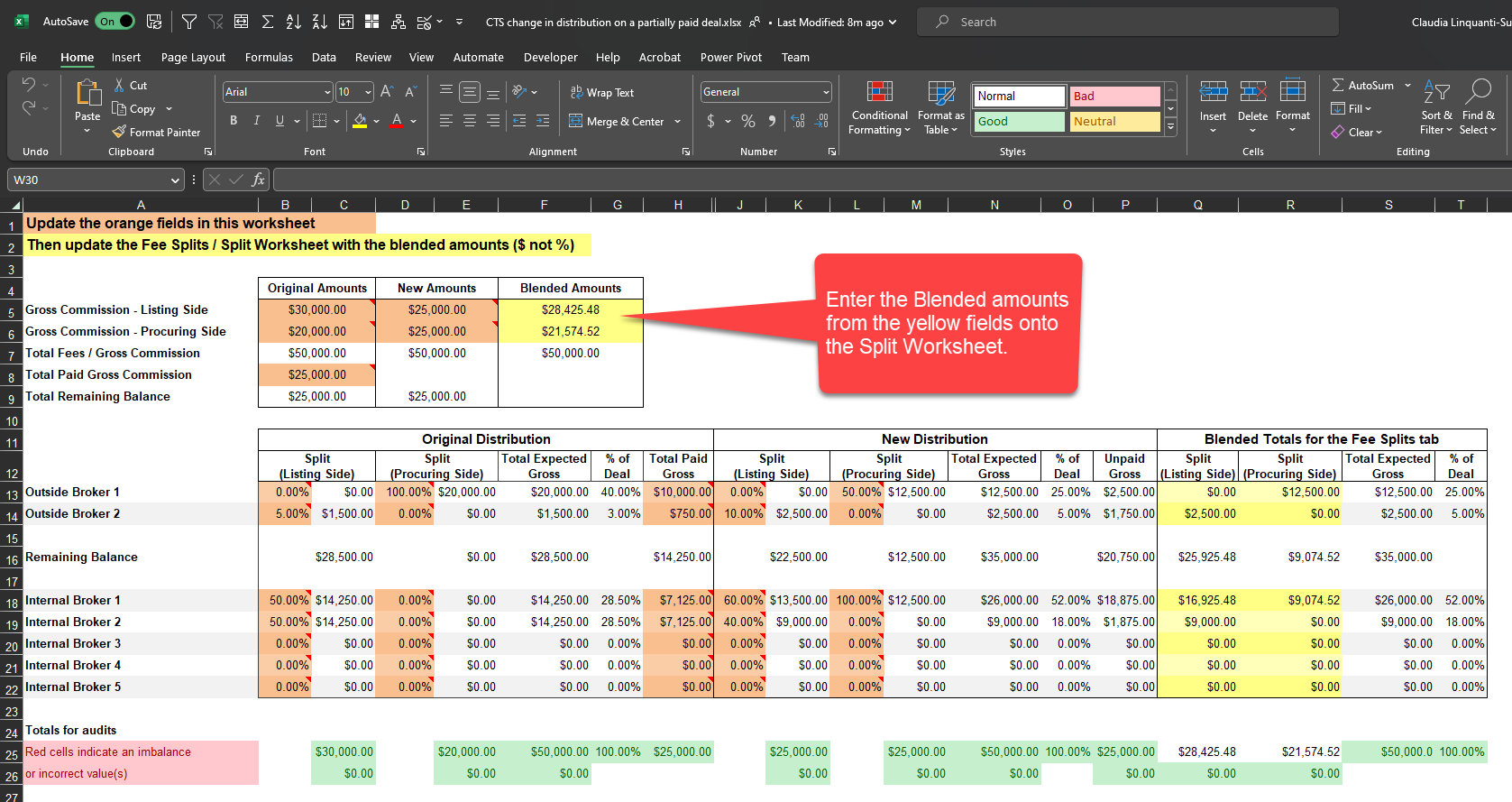
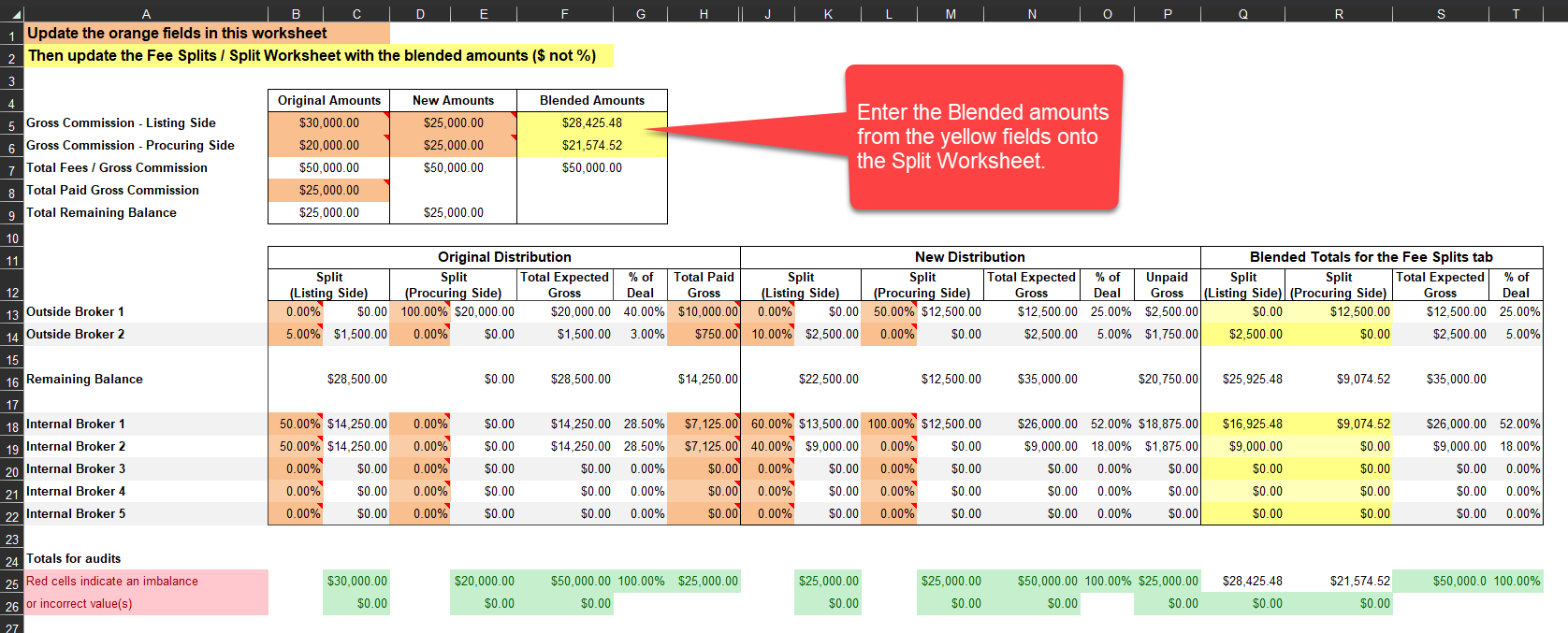
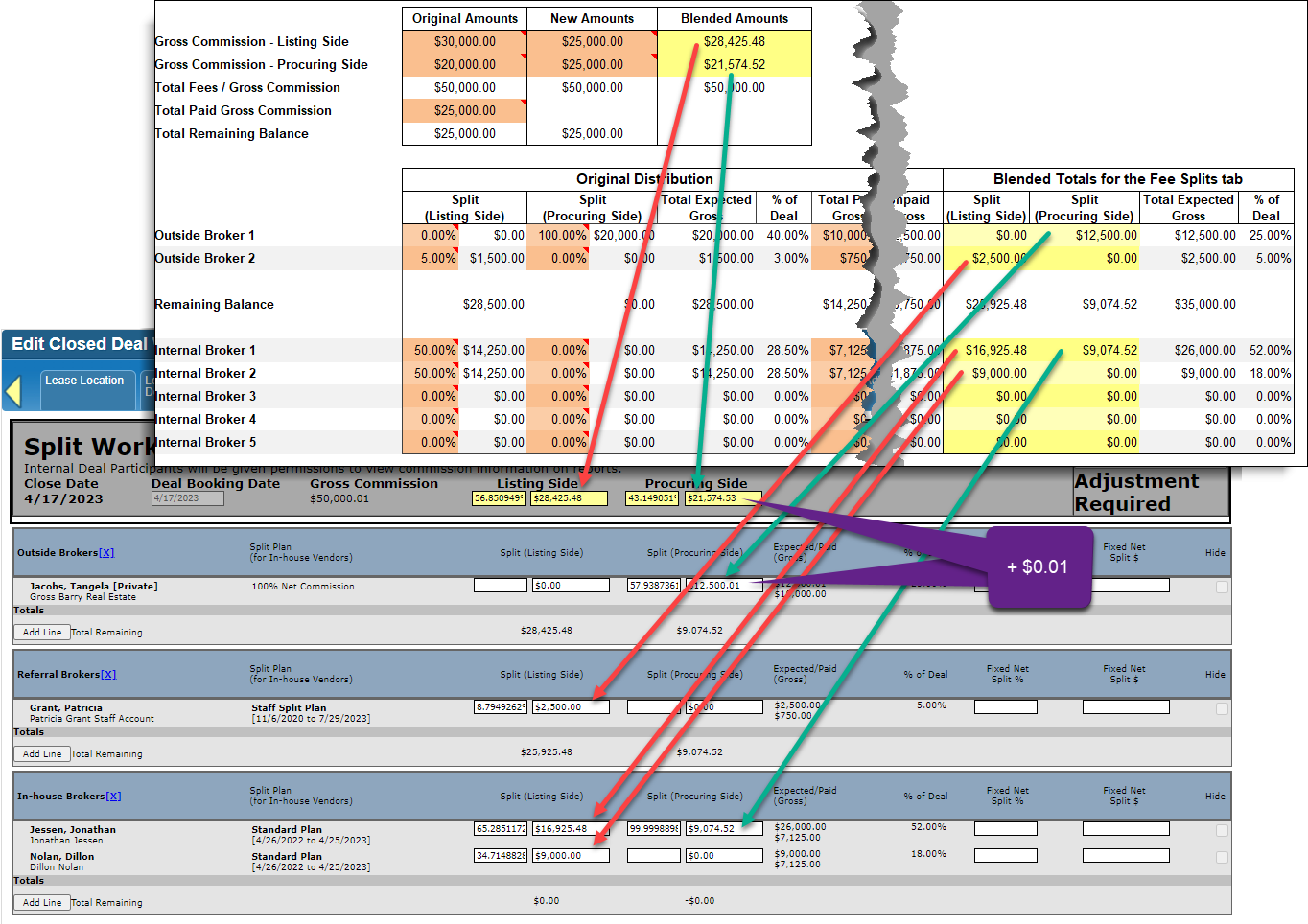
On the Fee Splits tab (Split Worksheet), replace the existing Listing Side and Procuring Side $ values with the yellow highlighted values in the spreadsheet, plus give someone an extra penny (to balance the Split Worksheet - this is if you added a penny adjustment to the Fee Calc Matrix). Save the Split Worksheet.
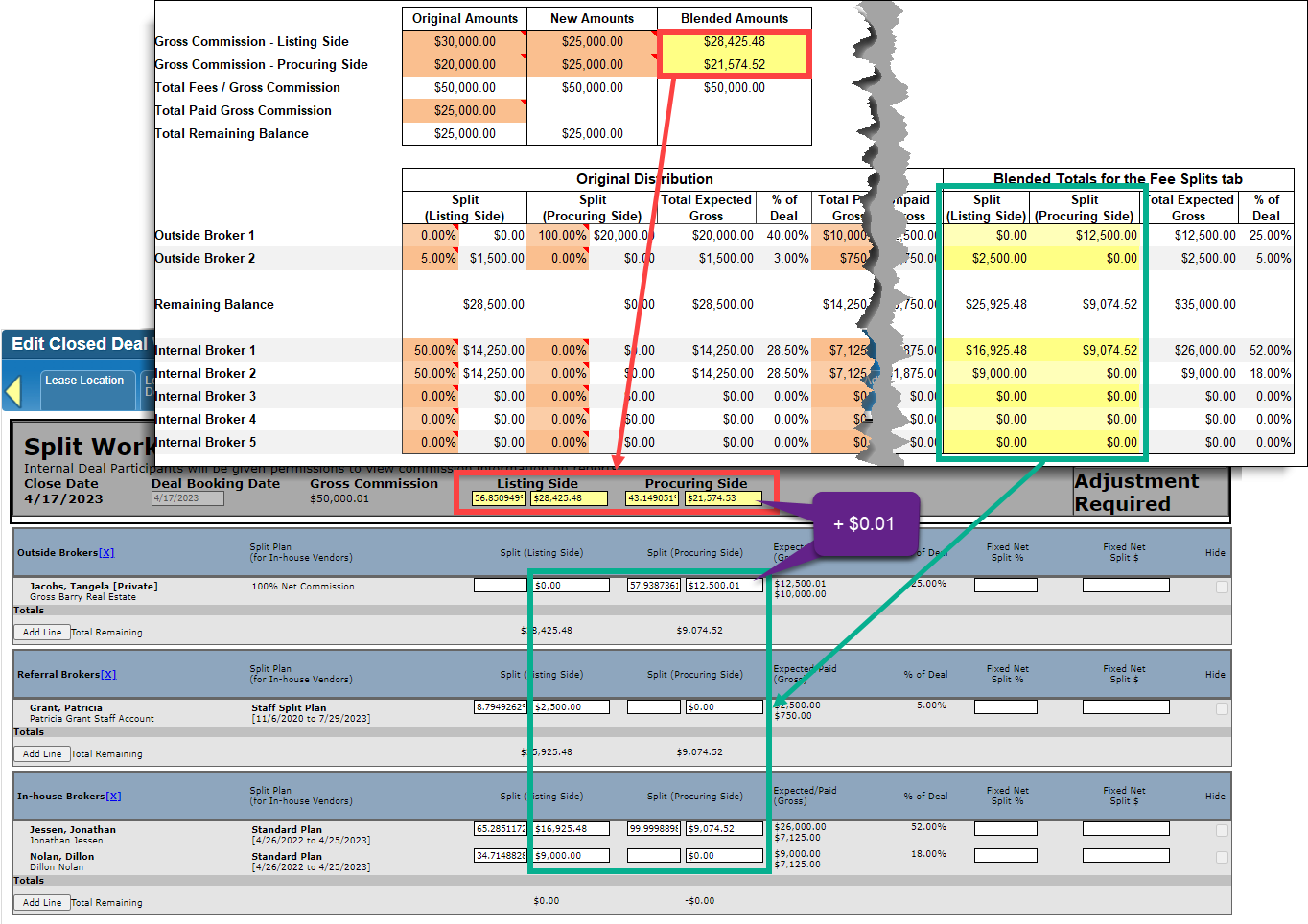
Adjust the Calculate Fees tab - remove the penny from the Fees if needed.
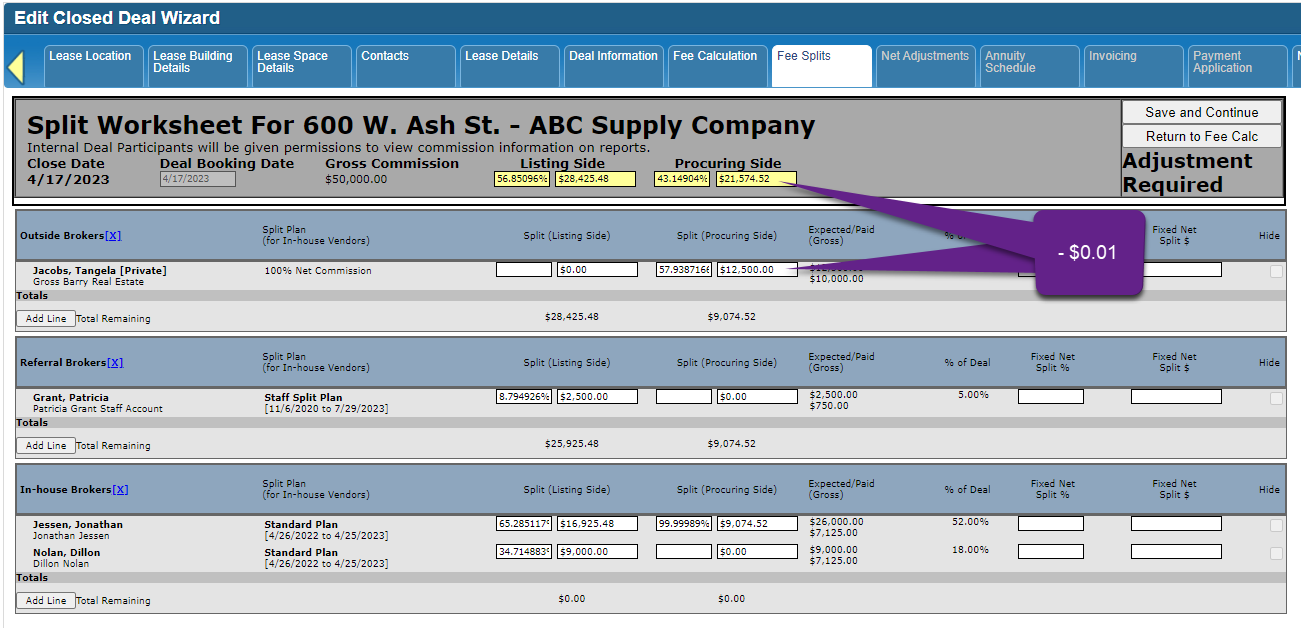
On the Split Worksheet, remove the extra penny (to balance the Split Worksheet) - this is only if you had to follow step 4 above. Save the Split Worksheet.
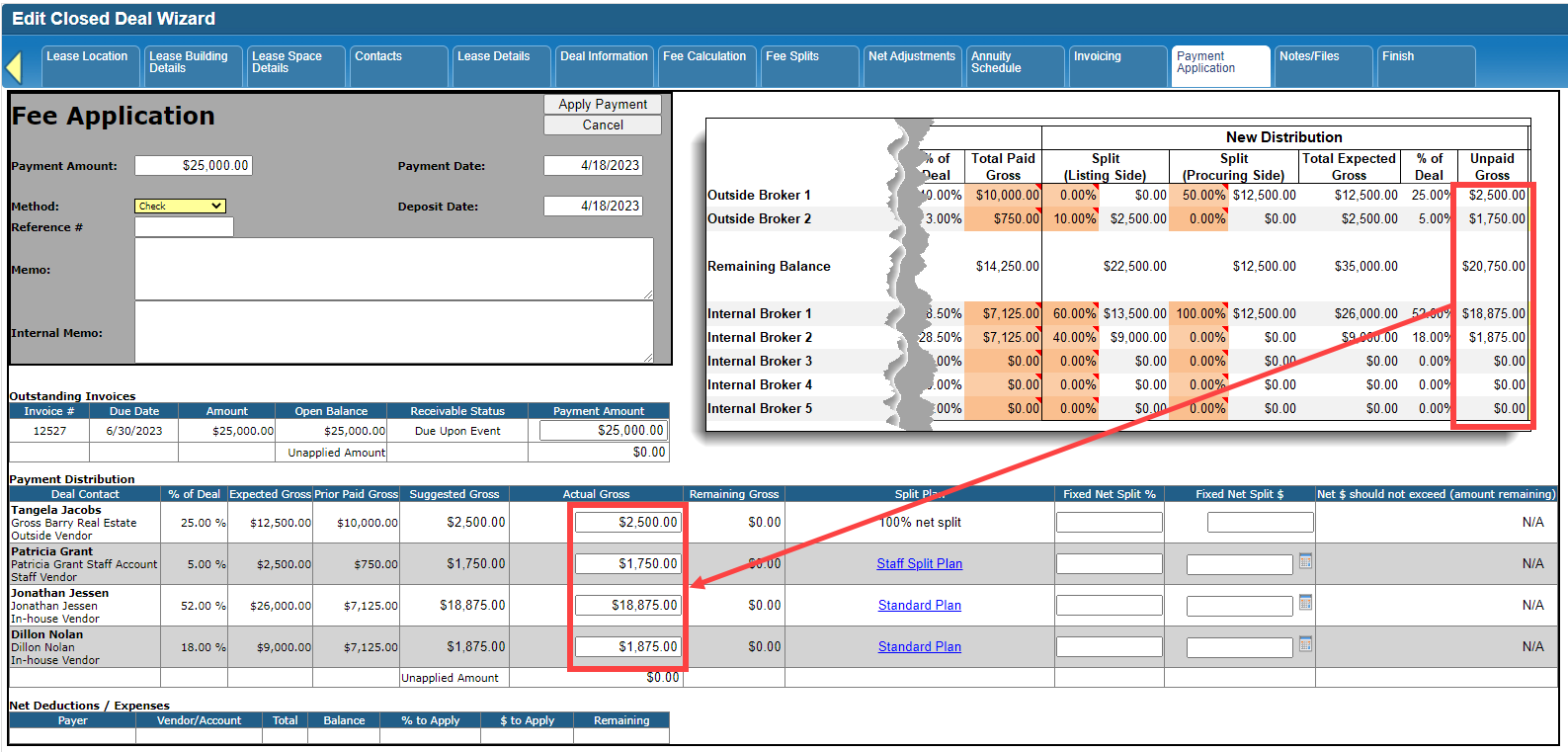
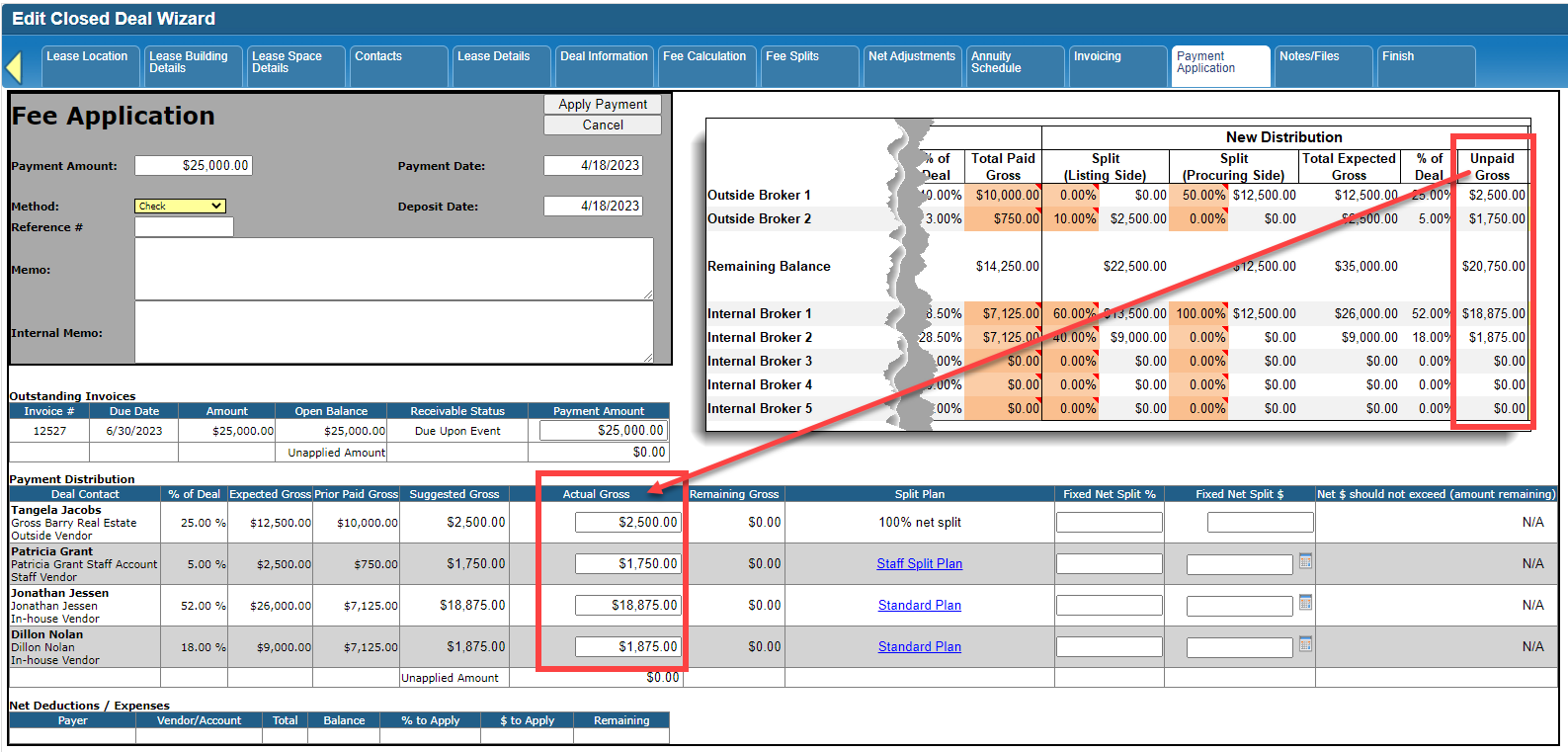
Apply the next payment, which should automatically reflect the new distribution moving forward.
If you have any questions or need further assistance, please contact [email protected].
© 2023 CoStar Group
Attachments:
 2023-04-13_14-00-01.png (image/png)
 2023-04-13_14-00-01b.png (image/png)
 2023-04-14_16-21-33.png (image/png)
 2023-04-14_16-21-33b.png (image/png)
 2023-04-17_17-02-22.png (image/png)
 2023-04-17_17-12-58.png (image/png)
2023-04-17_17-02-22b.png (image/png)
2023-04-17_17-12-58.png (image/png)
2023-04-17_17-02-22b.png (image/png)
 2023-04-17_17-22-06.png (image/png)
2023-04-18_12-31-33.png (image/png)
2023-04-18_12-39-18.png (image/png)
2023-04-17_17-22-06.png (image/png)
2023-04-18_12-31-33.png (image/png)
2023-04-18_12-39-18.png (image/png)
 2023-04-18_12-39-18b.png (image/png)
 2023-04-18_12-54-33.png (image/png)
2023-04-18_12-56-03.png (image/png)
2023-04-18_12-58-39.png (image/png)
2023-04-18_12-54-33.png (image/png)
2023-04-18_12-56-03.png (image/png)
2023-04-18_12-58-39.png (image/png)
 2023-04-18_12-39-18c.png (image/png)
2023-04-18_12-58-39b.png (image/png)
2023-04-17_17-02-22c.png (image/png)
2023-04-18_12-39-18c.png (image/png)
2023-04-18_12-58-39b.png (image/png)
2023-04-17_17-02-22c.png (image/png)