This article will explain how to set the permissions for dashboard widgets.
Instructions
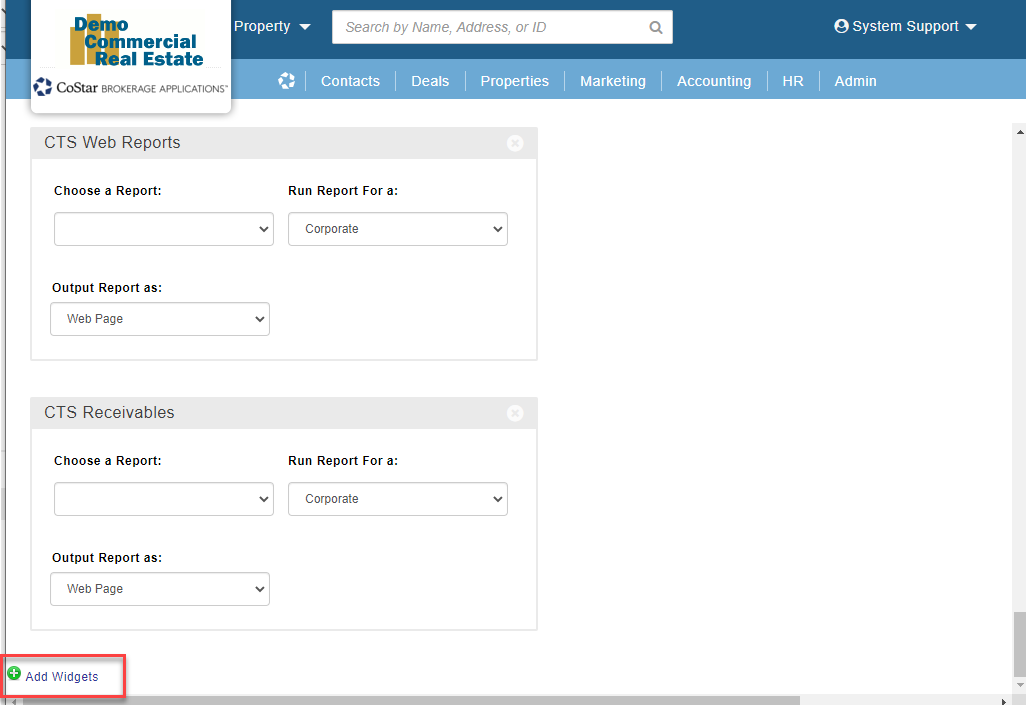
From the main dashboard scroll to the bottom and click on the green + Add Widgets button:
Locate the widget you would like to change permissions on and click on the ‘Alter Permissions’ link:

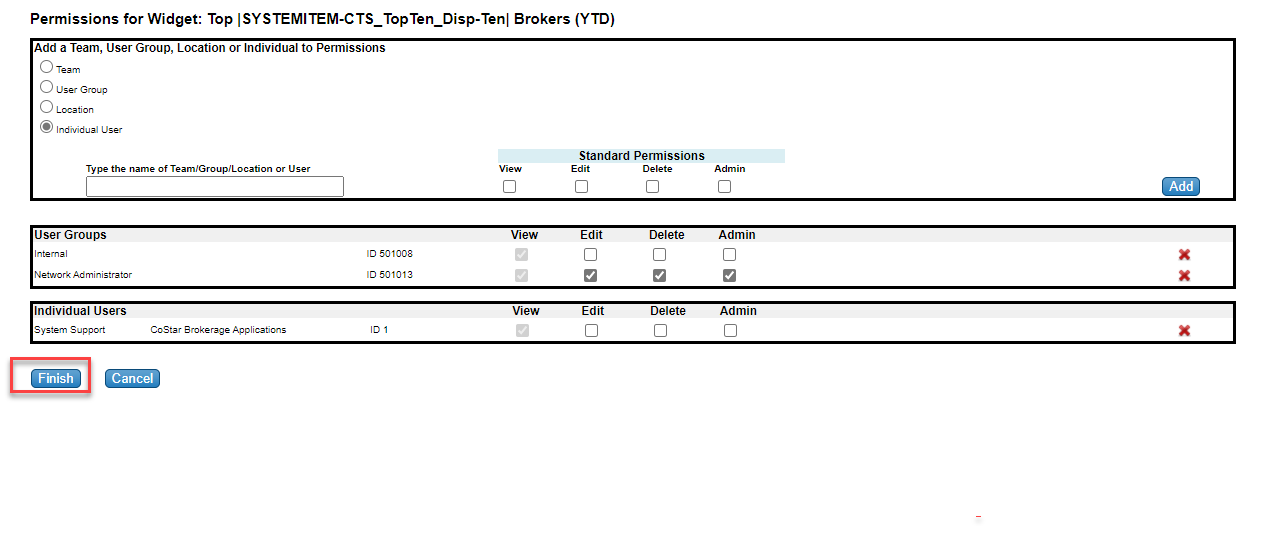
You can add: Teams, User Groups, Locations or Individual Users to the permissions. 1) Select Team, User Group, Location or Individual User. 2) Search for the name of the Team/Group/Location or User and select. 3) Select the permissions for the Team/Group/Location or User 4) Click Save and repeat until all permissions have been added.

Once permissions are setup, click on the ‘Finish’ button to apply your changes:
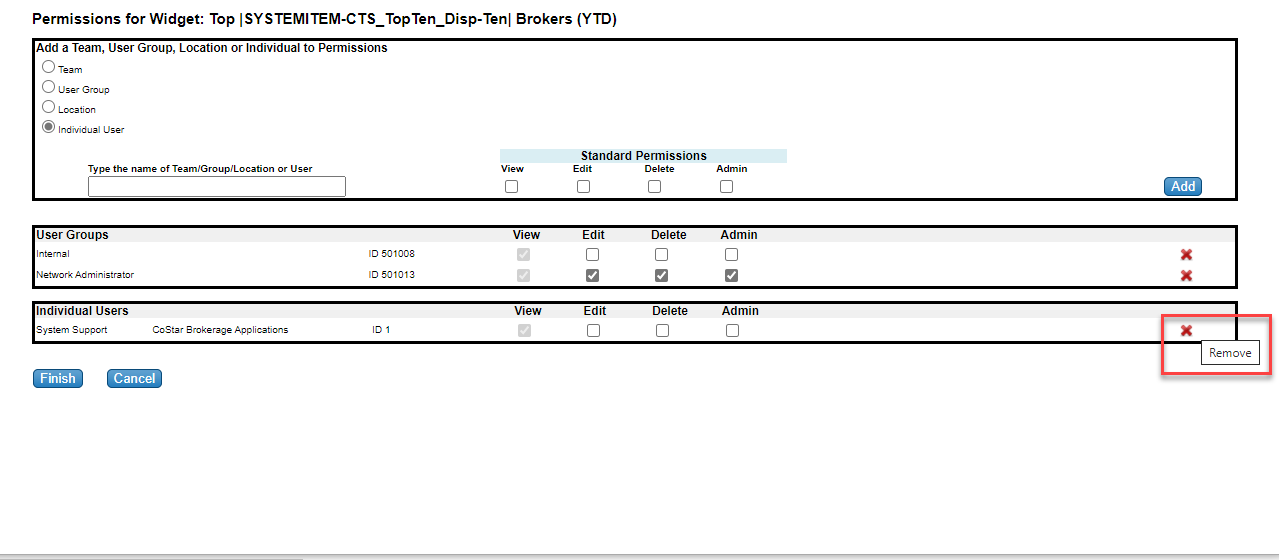
NOTE: To remove permission for a Team/Group/Location or User, you can click on the red X next to the Team/User Group/Location or User you wish to remove and then click the Finish button:
Related articles
© 2023 CoStar Group
Attachments:
 image-20211201-212819.png (image/png)
 image-20211201-212916.png (image/png)
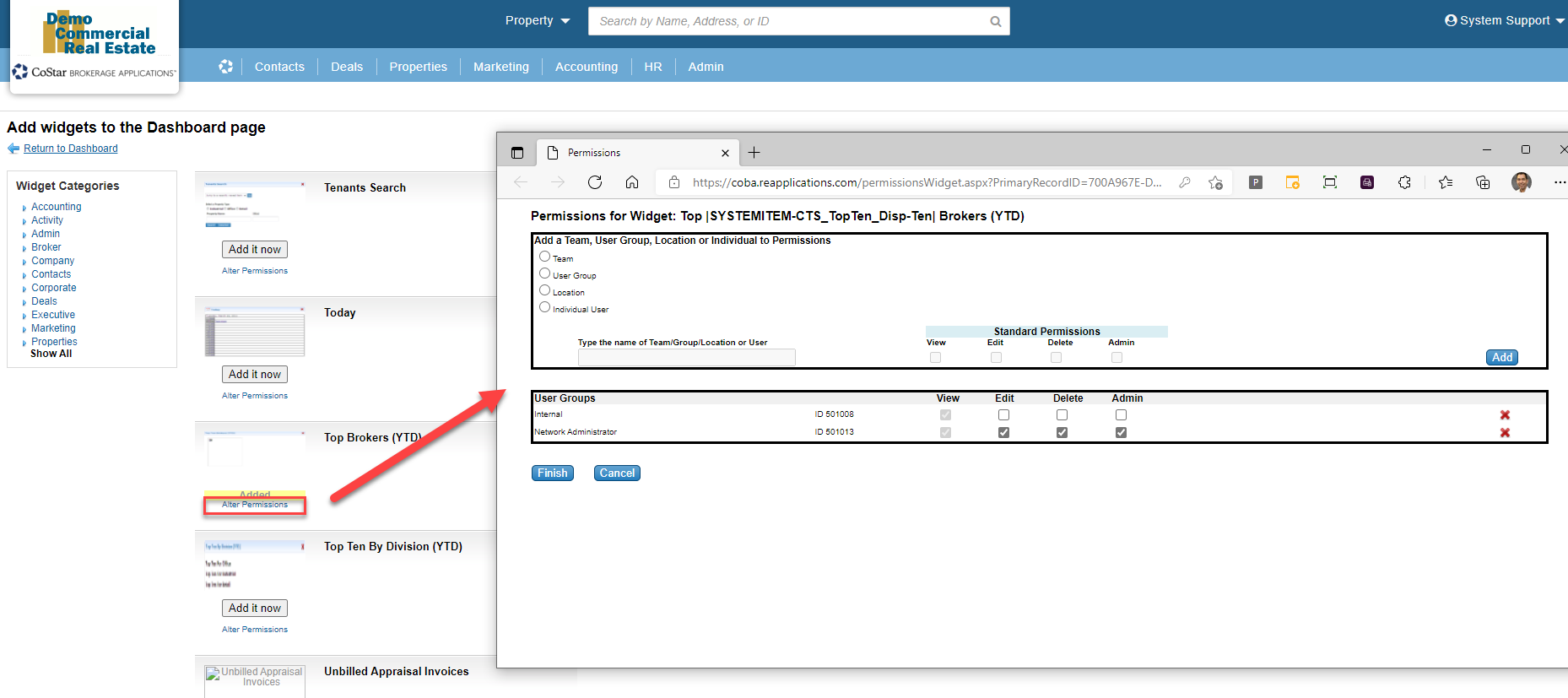 image-20211201-213128.png (image/png)
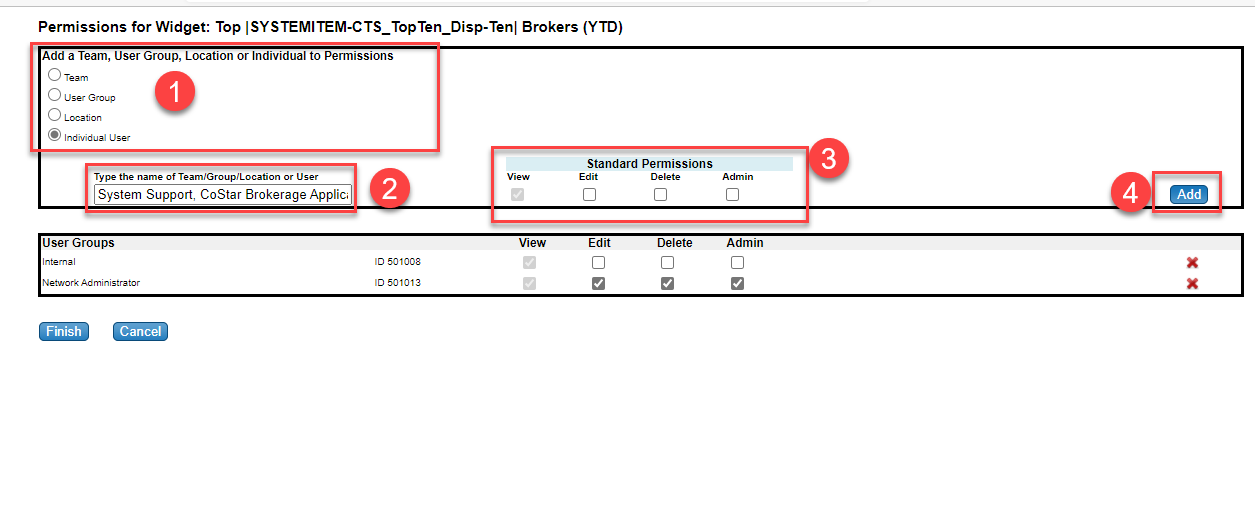 image-20211201-213252.png (image/png)
image-20211201-213756.png (image/png)
image-20211201-213252.png (image/png)
image-20211201-213756.png (image/png)