If you are experiencing Outlook Sync Issues please follow these steps for assistance.
Instructions
In Outlook navigate to the CoStar tab

Under to the ‘Tools’ pulldown select the ‘Diagnostics’ option and ‘Send Logs to Support’

Provide a description of the issue and select the area (Contacts, Events or Tasks) and click OK
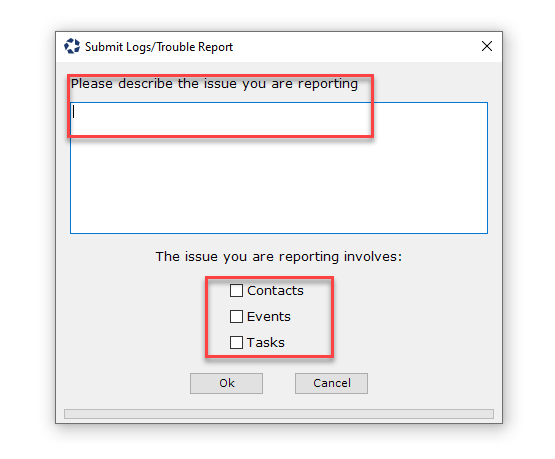
NOTE: Once you click OK an email will be sent from your email program to the Brokerage Applications Help Desk with the diagnostics results.
© 2023 CoStar Group
Attachments:
 image-20220215-183739.png (image/png)
image-20220215-183932.png (image/png)
image-20220215-184040.png (image/png)
image-20220215-183739.png (image/png)
image-20220215-183932.png (image/png)
image-20220215-184040.png (image/png)
 image-20220215-184056.png (image/png)