Problem
I updated various SF values on lease comps for a Property. If you look in at these leases, while the square footages are correct in the comps, the Tenancy widget has the old square footages listed.
Solution
When a comp is created, a carbon copy of both the Property AND the Space records are created. When you edit the SF on the Comp record you are editing the carbon copy. This is so you have a snapshot in time of what the building and space looked like at the time of the deal.
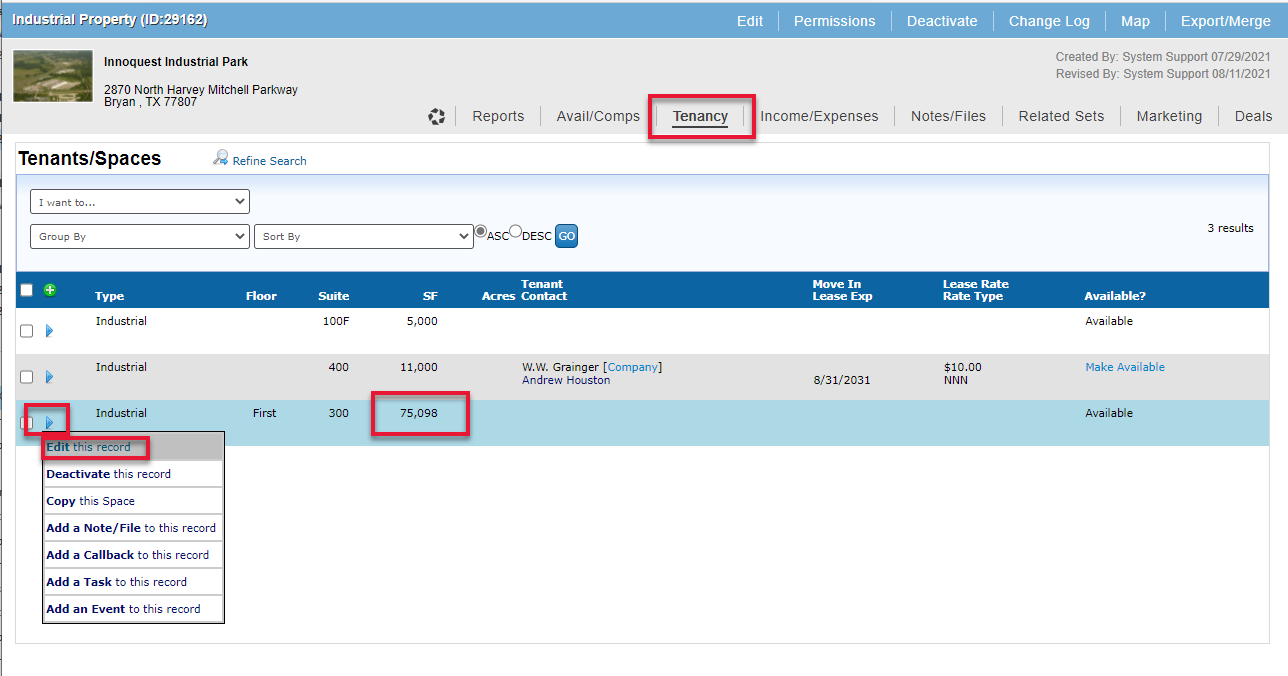
To update the Tenancy you would need to open the original ‘Property’ record, navigate to the ‘Tenancy’ tab and update the SF on the Tenants/Spaces records.
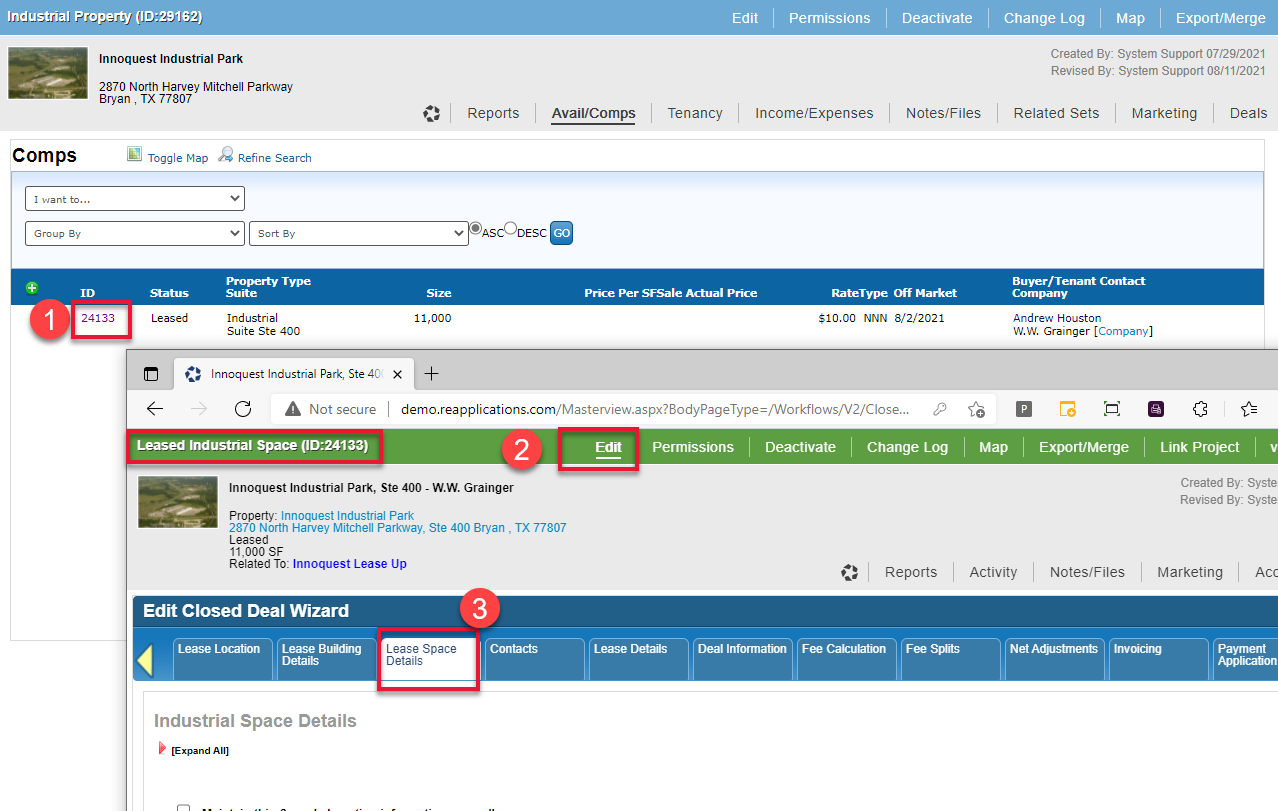
To update Comp SF you would need to open the Comp record and update the ‘Space Details form.
© 2023 CoStar Group
Attachments:
 image-20210823-155806.png (image/png)
 image-20210823-161117.png (image/png)
 image-20210823-161150.png (image/png)
 image-20210823-161421.png (image/png)