These are the steps to export Contact, Tasks, Callbacks and Notes.
Export Contacts
From the main navigation go to Contacts → My Relationships (this will return all contacts you have a relationship with)
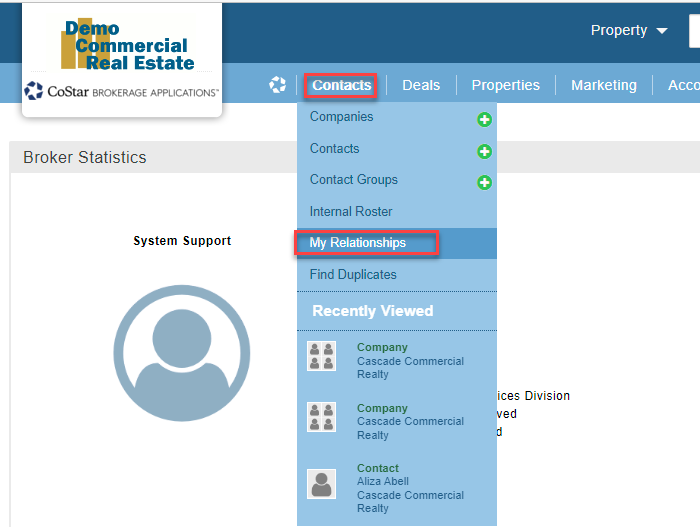
From the ‘My Contacts’ List go to the List Action → “I want to…” → “Report/Export (all or selected)”

From the Report/Export Wizard we would recommend using the “Contact Detailed [Excel]” option and press the “Select this Report' button.
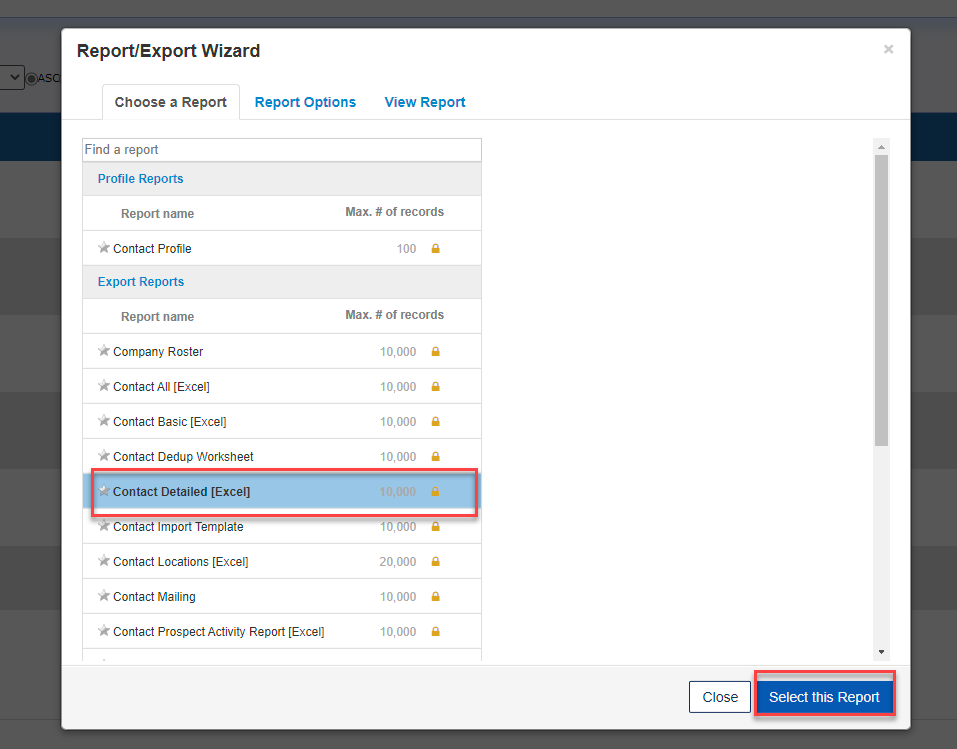
The export will be exported to your Download folder.
Export Tasks
From the main navigation, hover over the CoStar Logo and select “Tasks”. This will open your task list.

From the Tasks list use the List Action “I want to… “ → “Report/Export (all or selected)”

From the Report/Export Wizard we would recommend using the “My Task” option and press the “Select this Report' button.
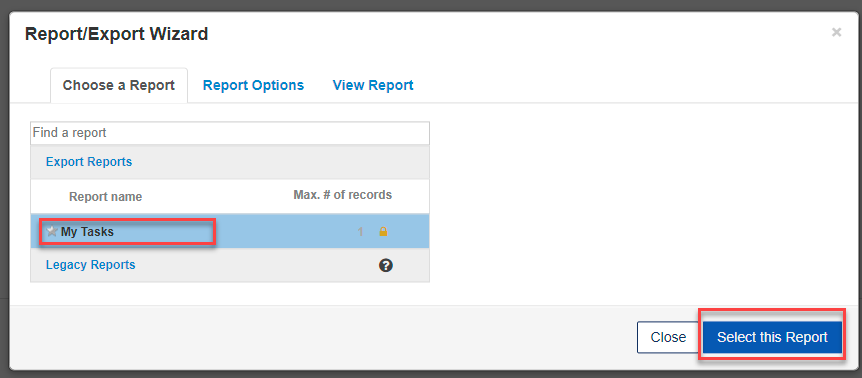
The export will be exported to your Download folder.
Export Callbacks
From the main navigation, hover over the CoStar Logo and select “Callback”. This will open your task list.

From the Callbacks list use the List Action “I want to… “ → “Report/Export (all or selected)”
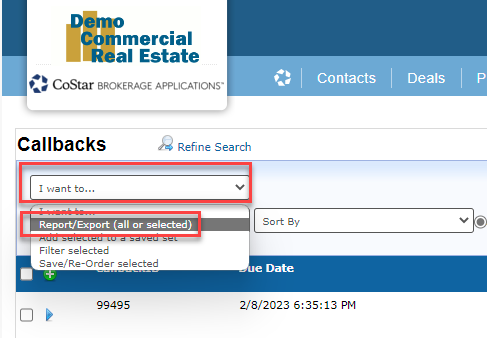
From the Report/Export Wizard we would recommend using the “My Callbacks” option and press the “Select this Report' button.

The export will be exported to your Download folder.
Export Notes
From the “Notes/Files Search” widget select “Contact/Company” option, enter date range (recommended to export year by year), and “Created By” select your name and click the “Search” button.

From the “Notes Files and Links” list use the List Action “I want to… “ → “Report/Export (all or selected)”
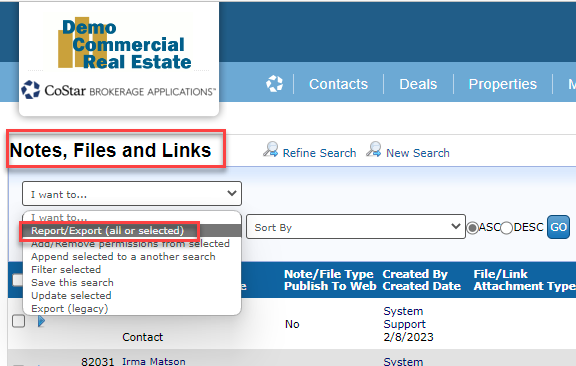
From the Report/Export Wizard we would recommend using the “Contact/Company Notes/Files” option and press the “Select this Report' button.

The export will be exported to your Download folder.
If you have any questions or would like to schedule a detailed training on this feature, please contact [email protected].
© 2023 CoStar Group
Attachments:
 image-20230517-201423.png (image/png)
image-20230517-201431.png (image/png)
image-20230517-201437.png (image/png)
image-20230517-204432.png (image/png)
image-20230517-204439.png (image/png)
image-20230517-204443.png (image/png)
image-20230517-205642.png (image/png)
image-20230517-205648.png (image/png)
image-20230517-205653.png (image/png)
image-20230517-210749.png (image/png)
image-20230517-210756.png (image/png)
image-20230517-210801.png (image/png)
image-20230517-201423.png (image/png)
image-20230517-201431.png (image/png)
image-20230517-201437.png (image/png)
image-20230517-204432.png (image/png)
image-20230517-204439.png (image/png)
image-20230517-204443.png (image/png)
image-20230517-205642.png (image/png)
image-20230517-205648.png (image/png)
image-20230517-205653.png (image/png)
image-20230517-210749.png (image/png)
image-20230517-210756.png (image/png)
image-20230517-210801.png (image/png)